Contact GrabScanGo

Help & Resources for Hotel Front-Desk Staff

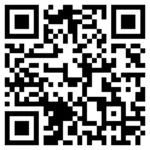
View this Help page on your phone

QR code linking to GrabScanGo hotel help.

If the Pay Terminal has the message “WE’RE SORRY, THIS TERMINAL IS TEMPORARILY UNAVAILABLE”, it is most likely due to a broken or intermittent Internet connection.

Click HERE to submit a Technical Support request, so our team can investigate.

IMPORTANT: If guest’s payment method is Cash, Member Rewards, Comp or Room, the transaction must be recorded on the hotel’s system and the GrabScanGo Front-Desk Pay Terminal

Download “How To Check Out Products For Guests” document HERE

CONTENTS

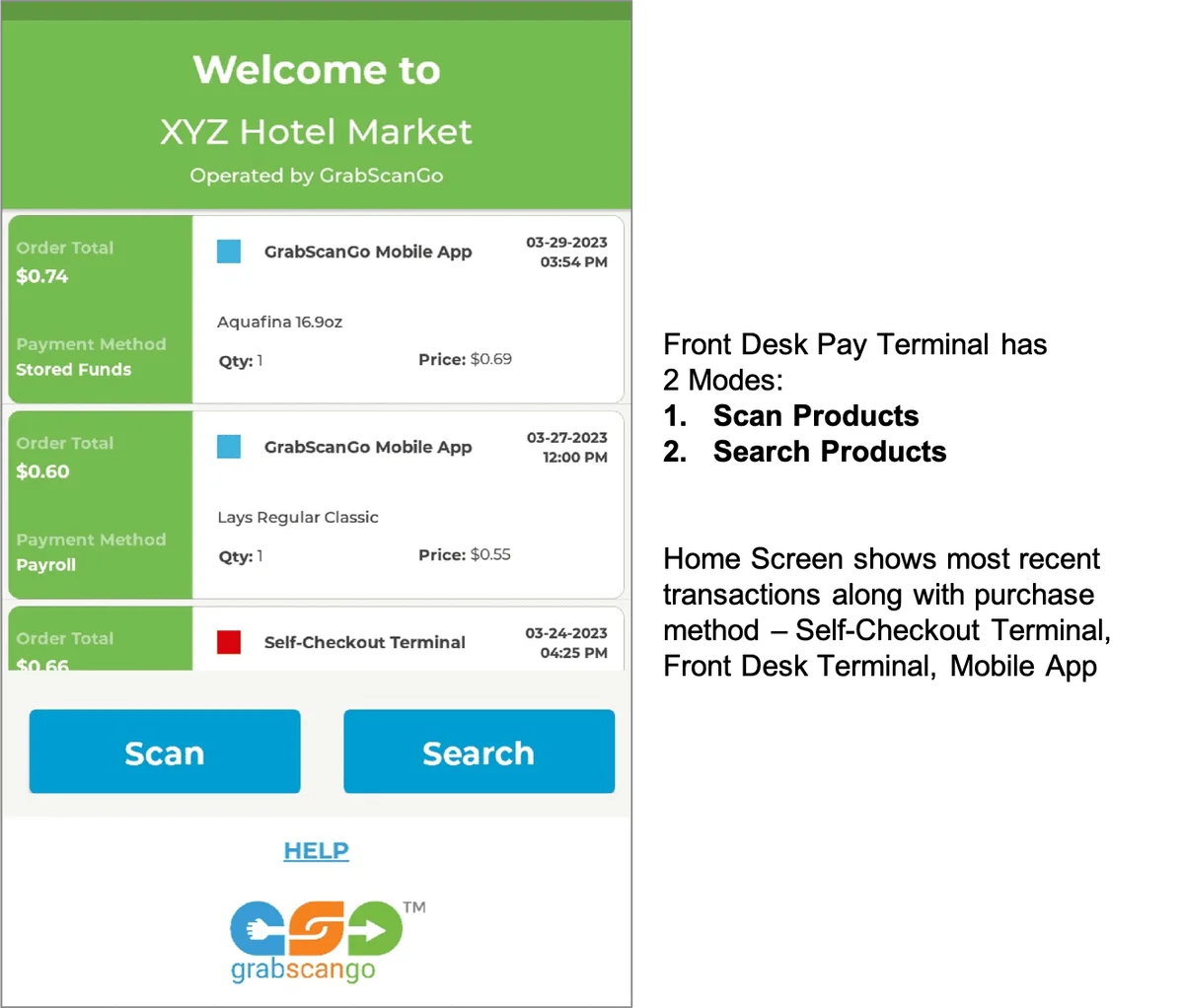
HOME SCREEN

GrabScanGo front-desk terminal home screen with Scan and Search buttons.

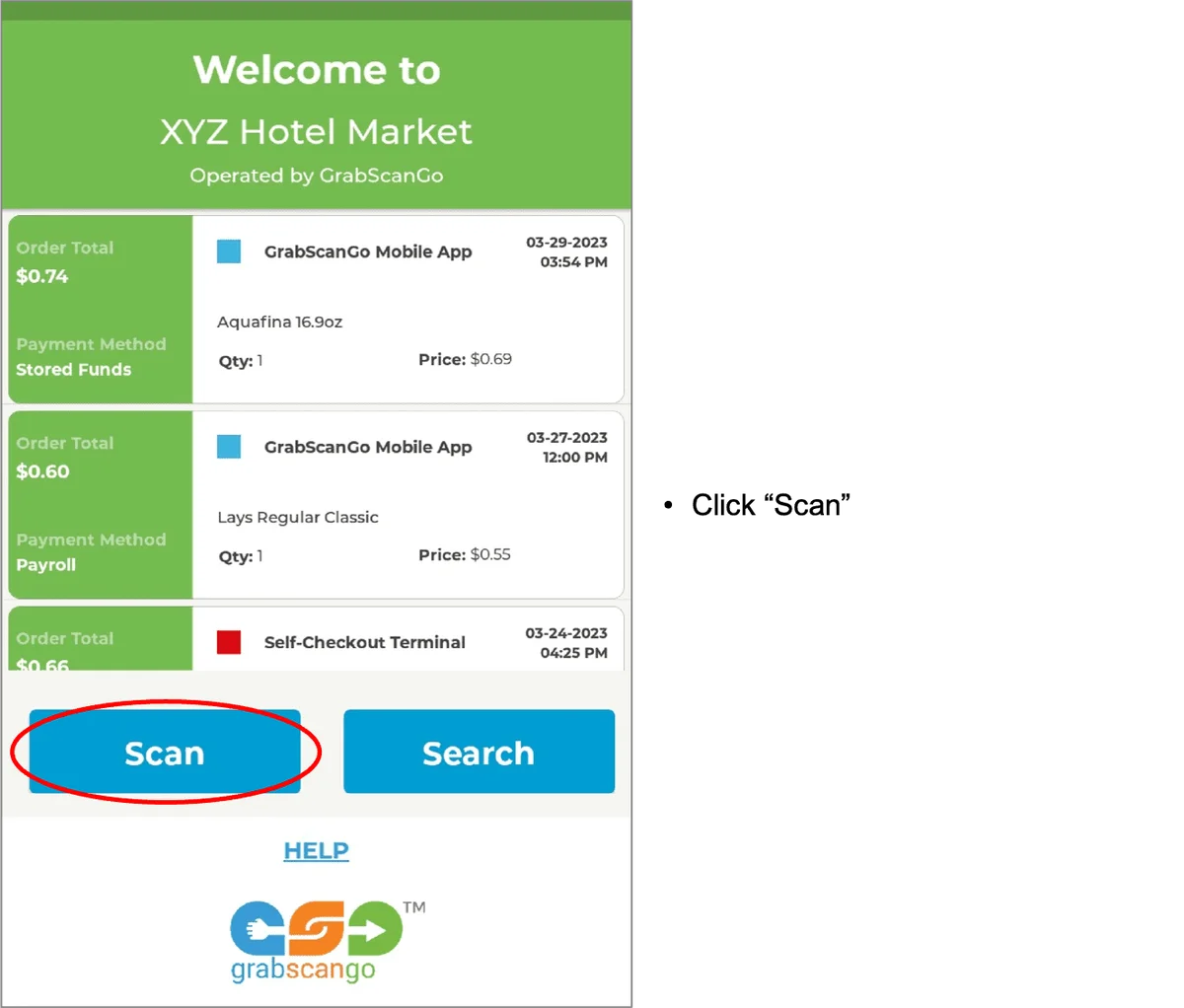
SCAN PRODUCTS

IMPORTANT: If guest’s payment method is Cash, Member Rewards, Comp or Room, the transaction must be recorded on the hotel’s system and the GrabScanGo Front-Desk Pay Terminal

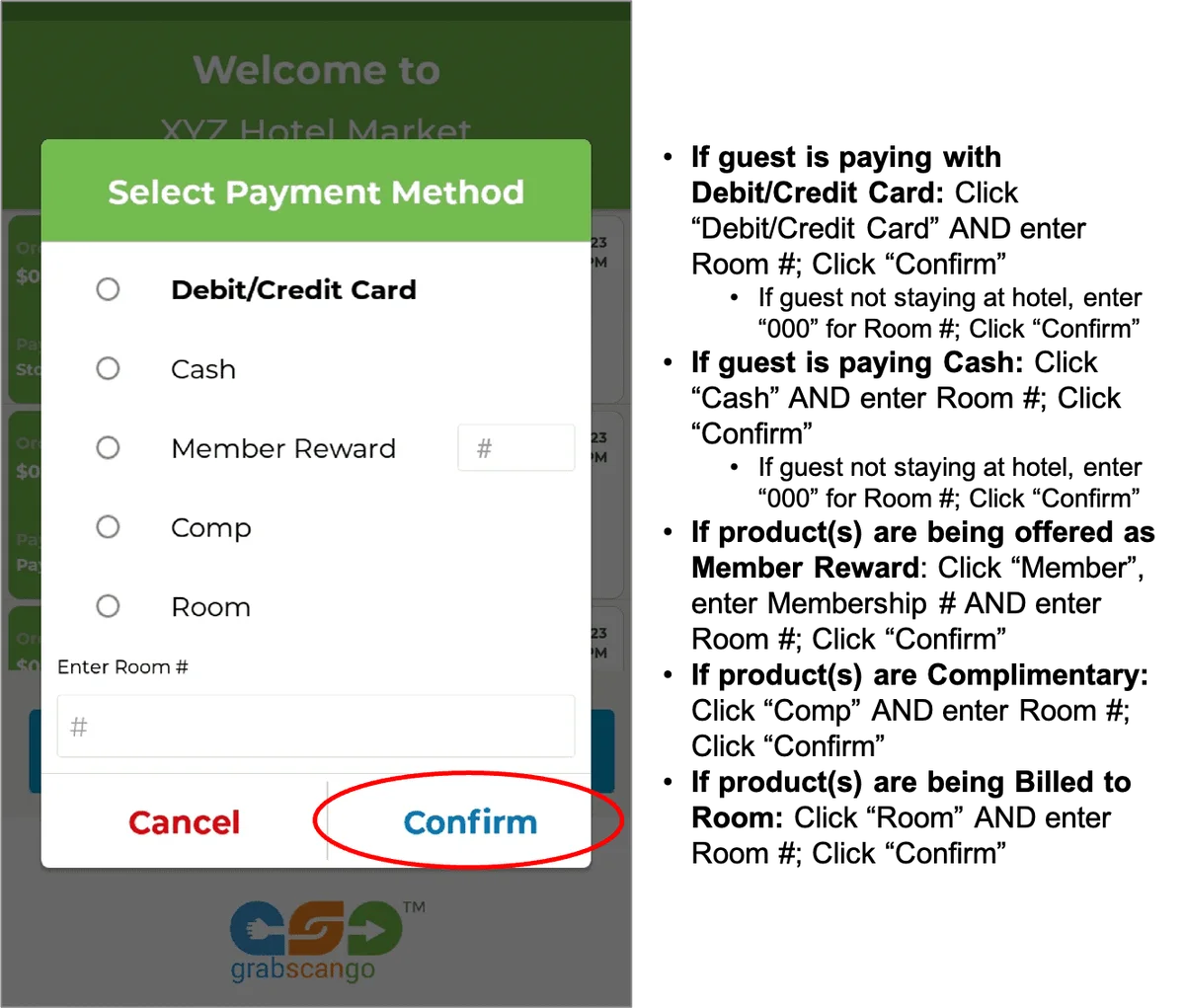
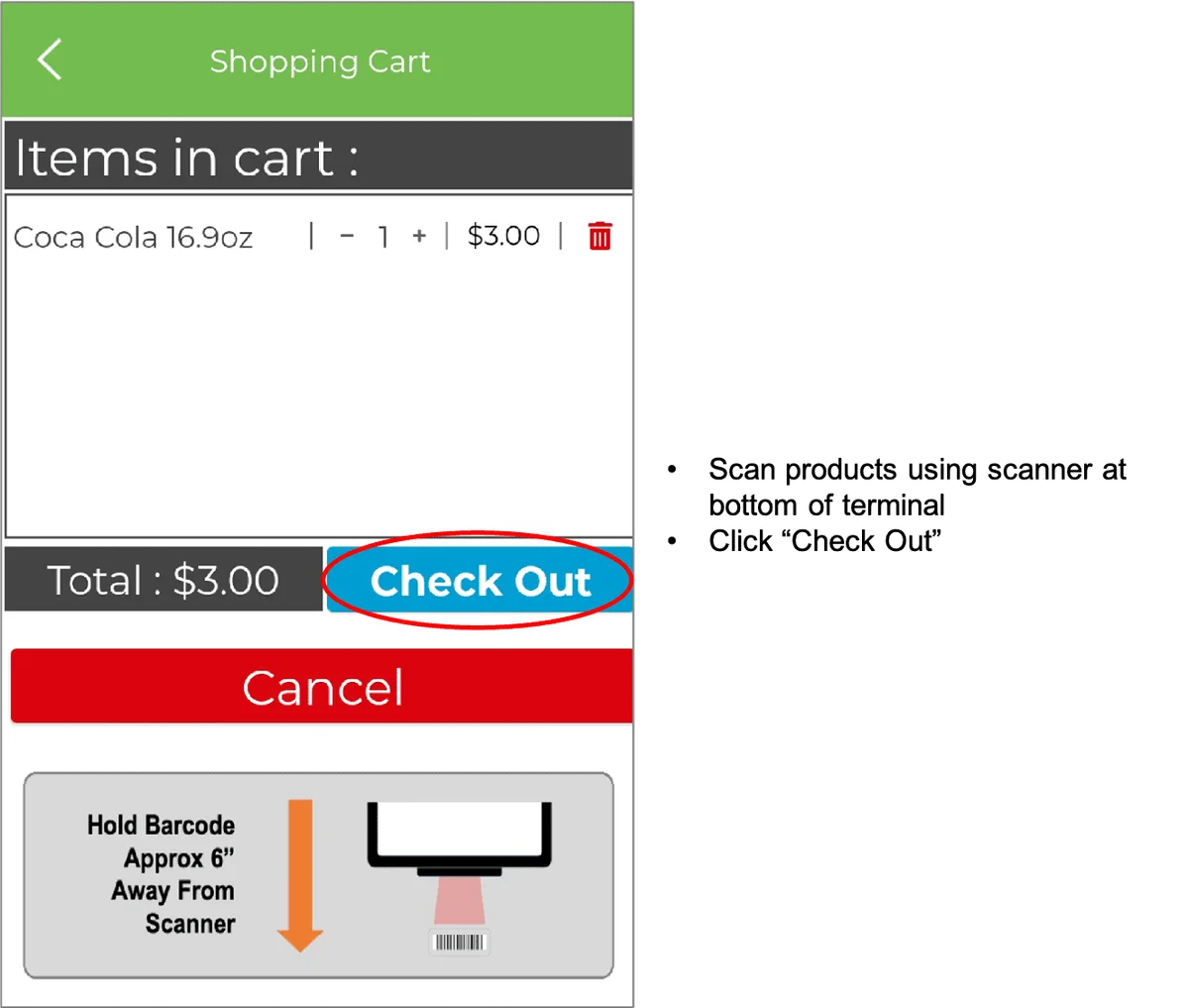
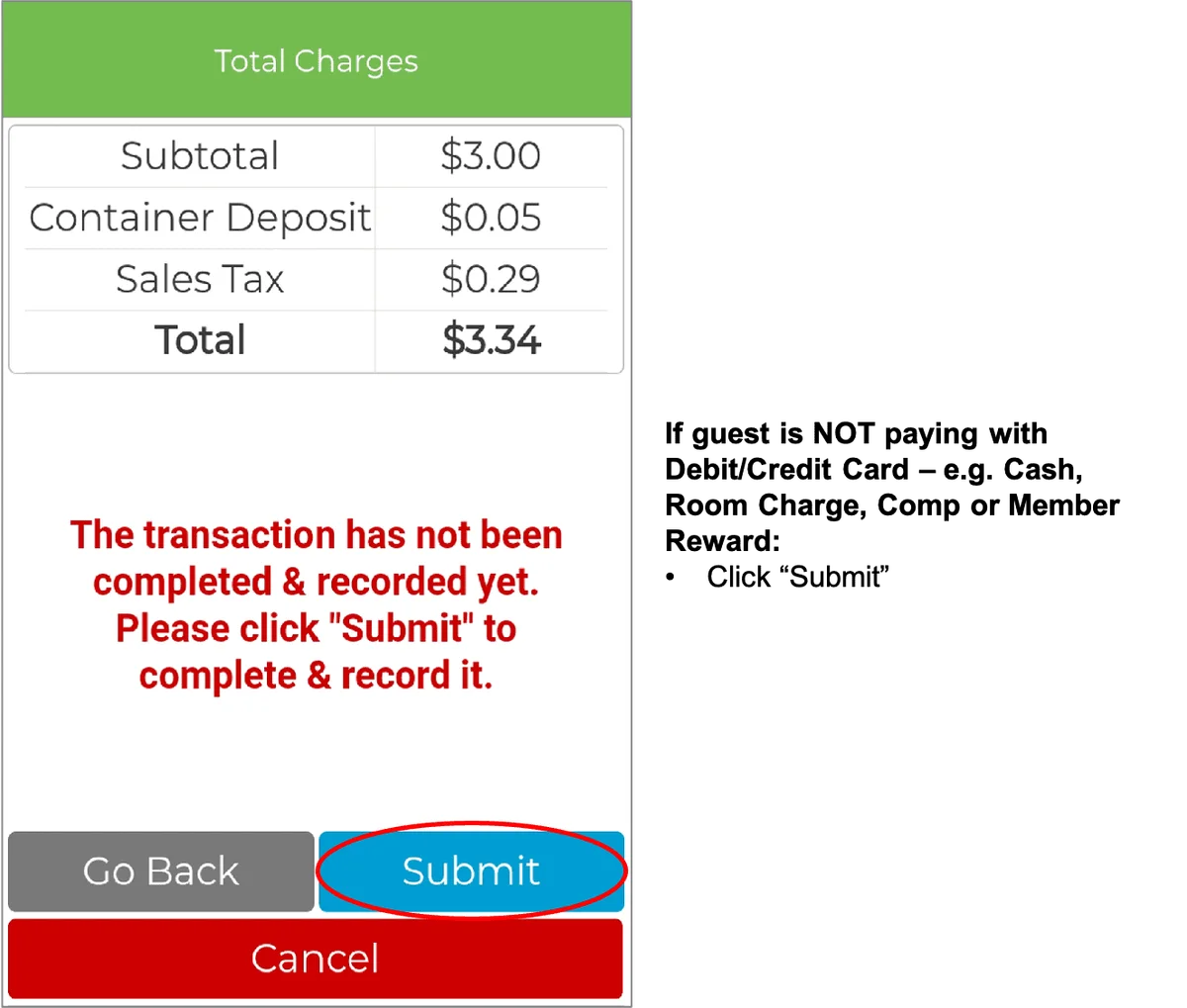
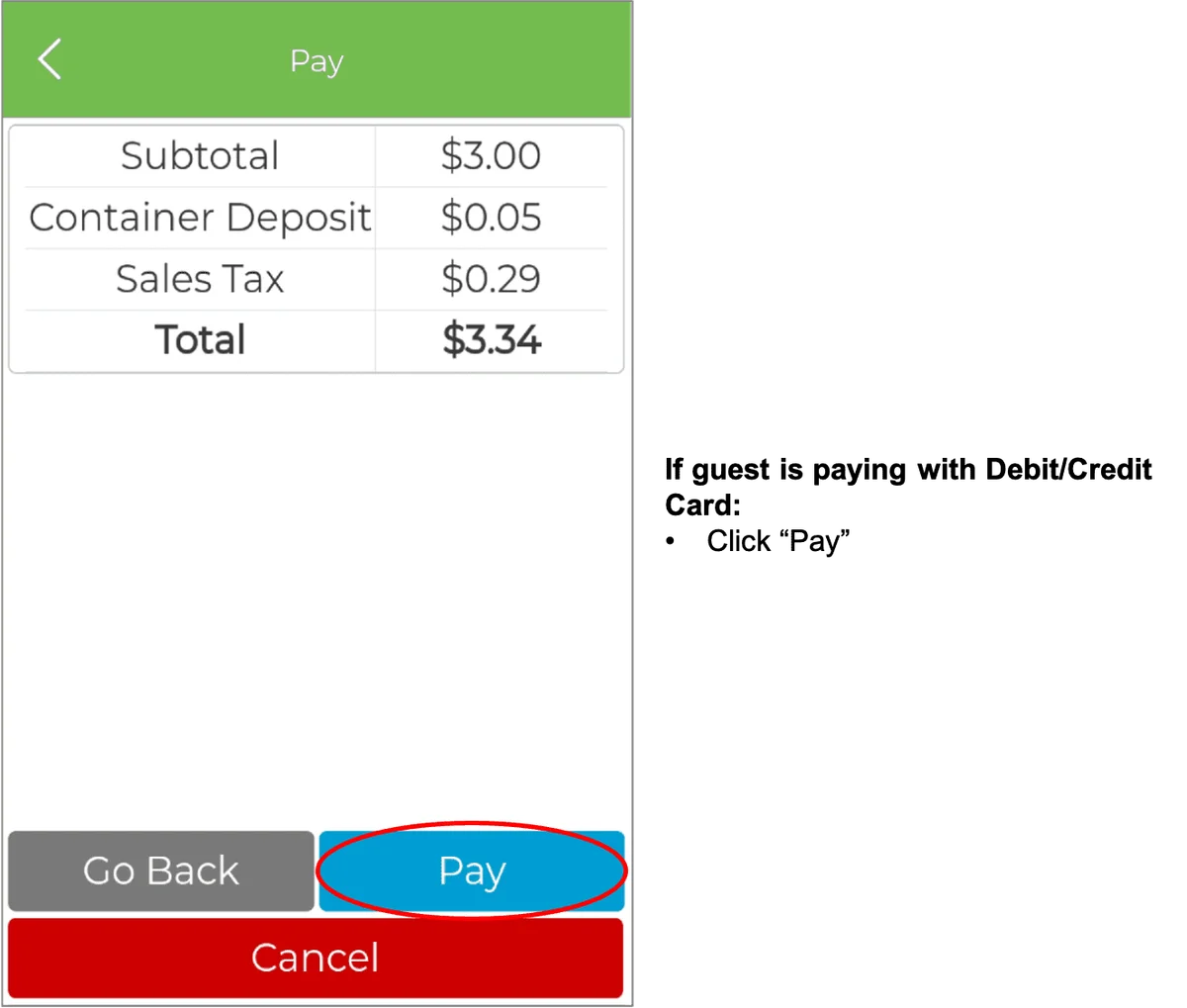
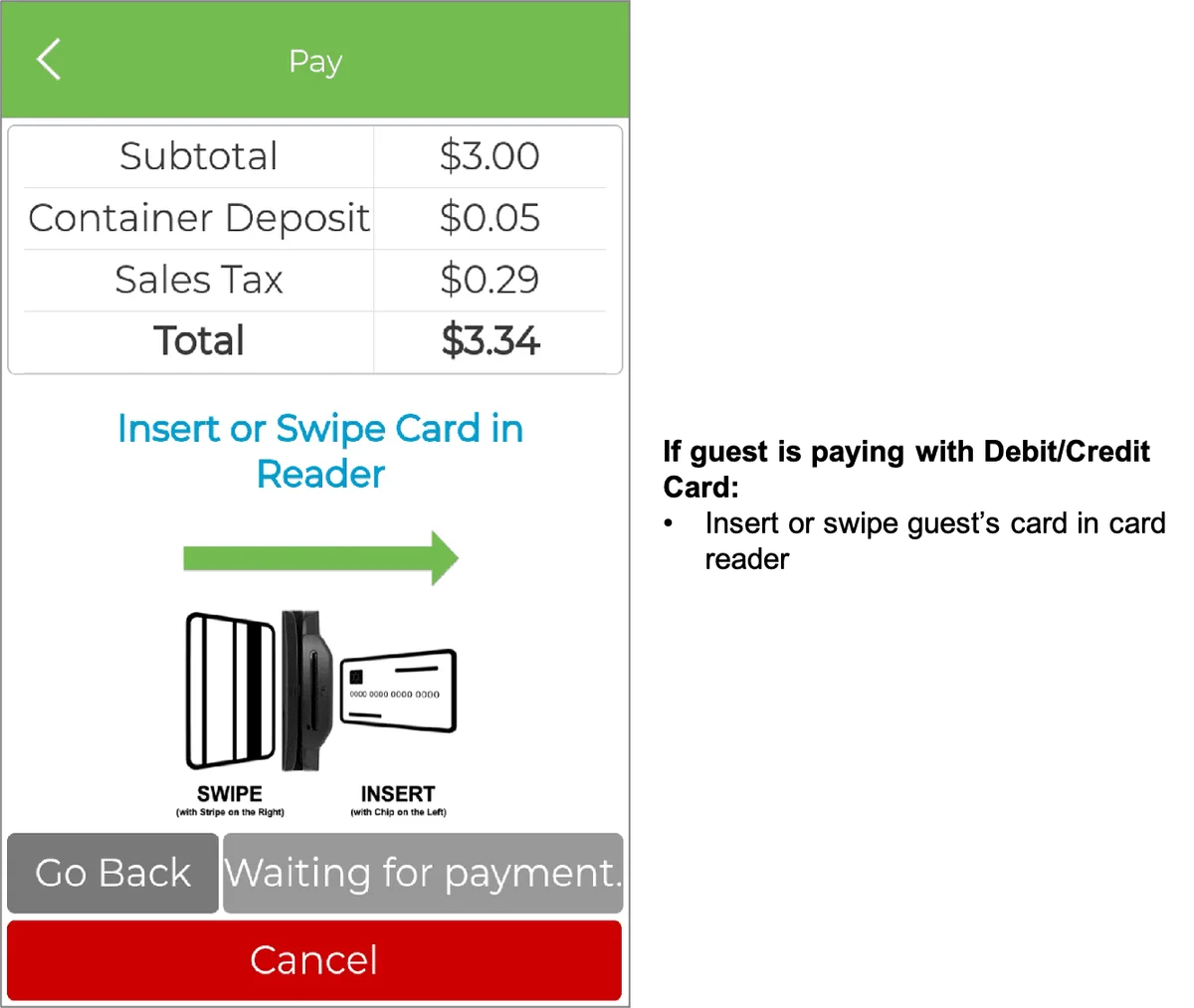
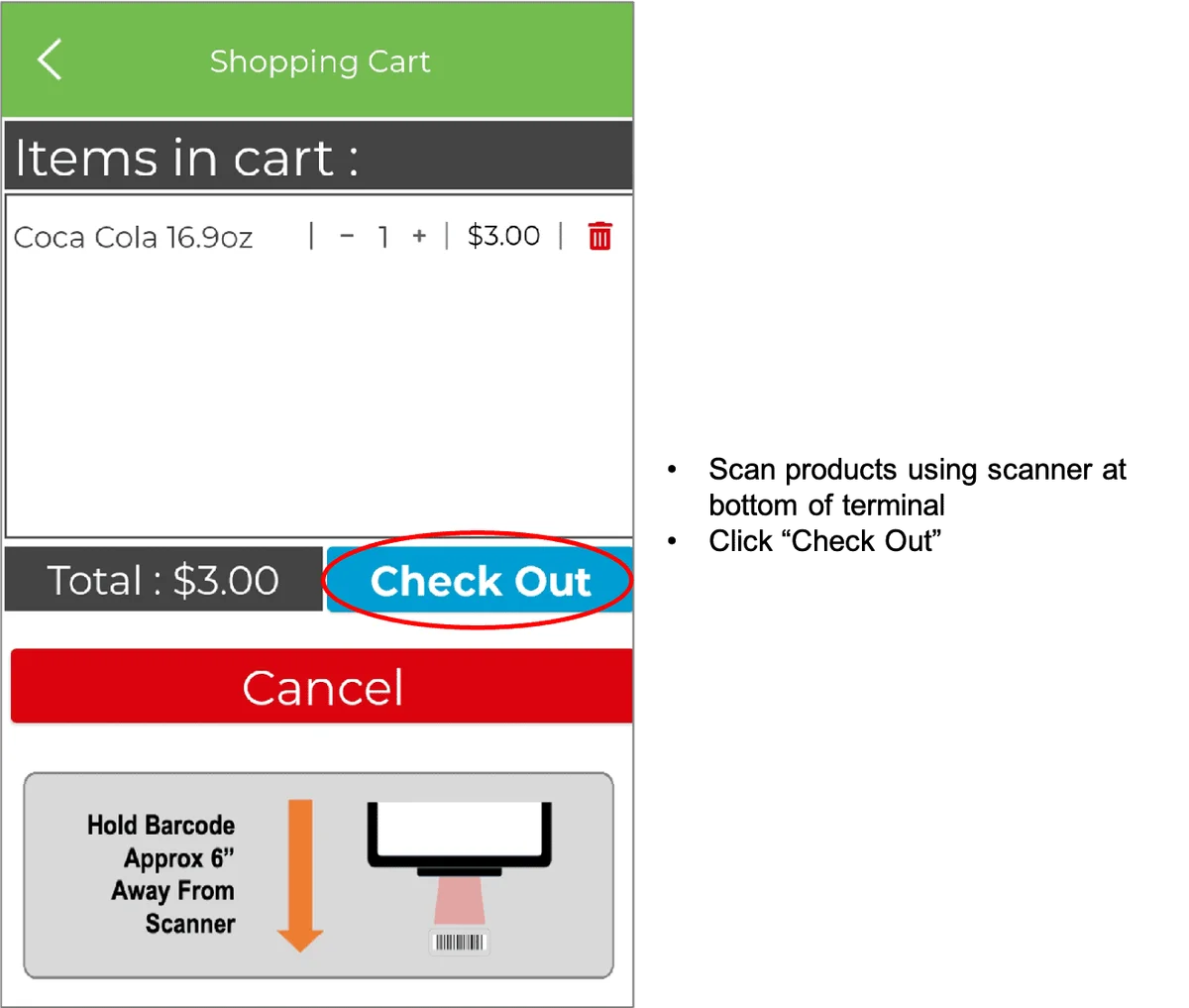
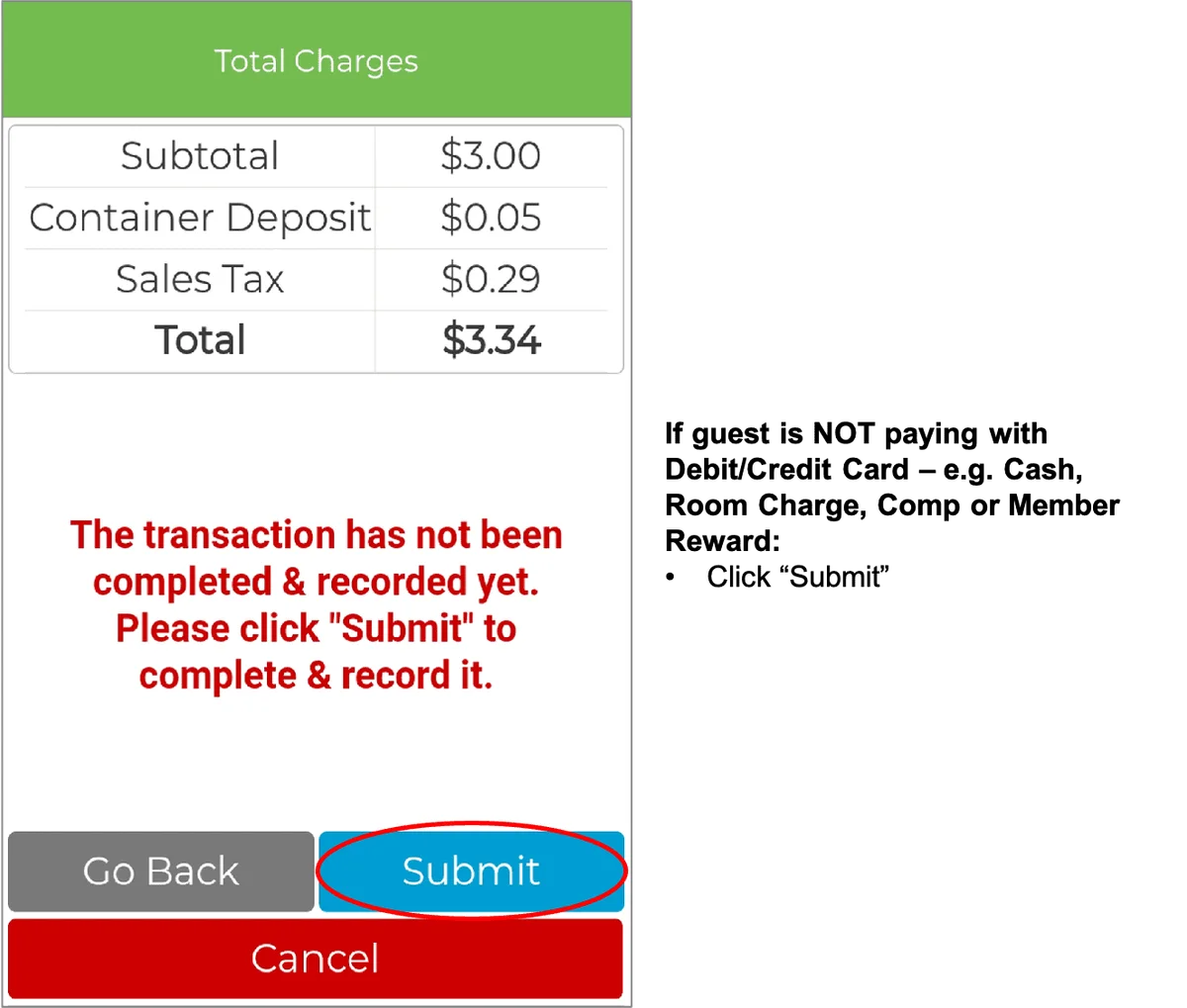
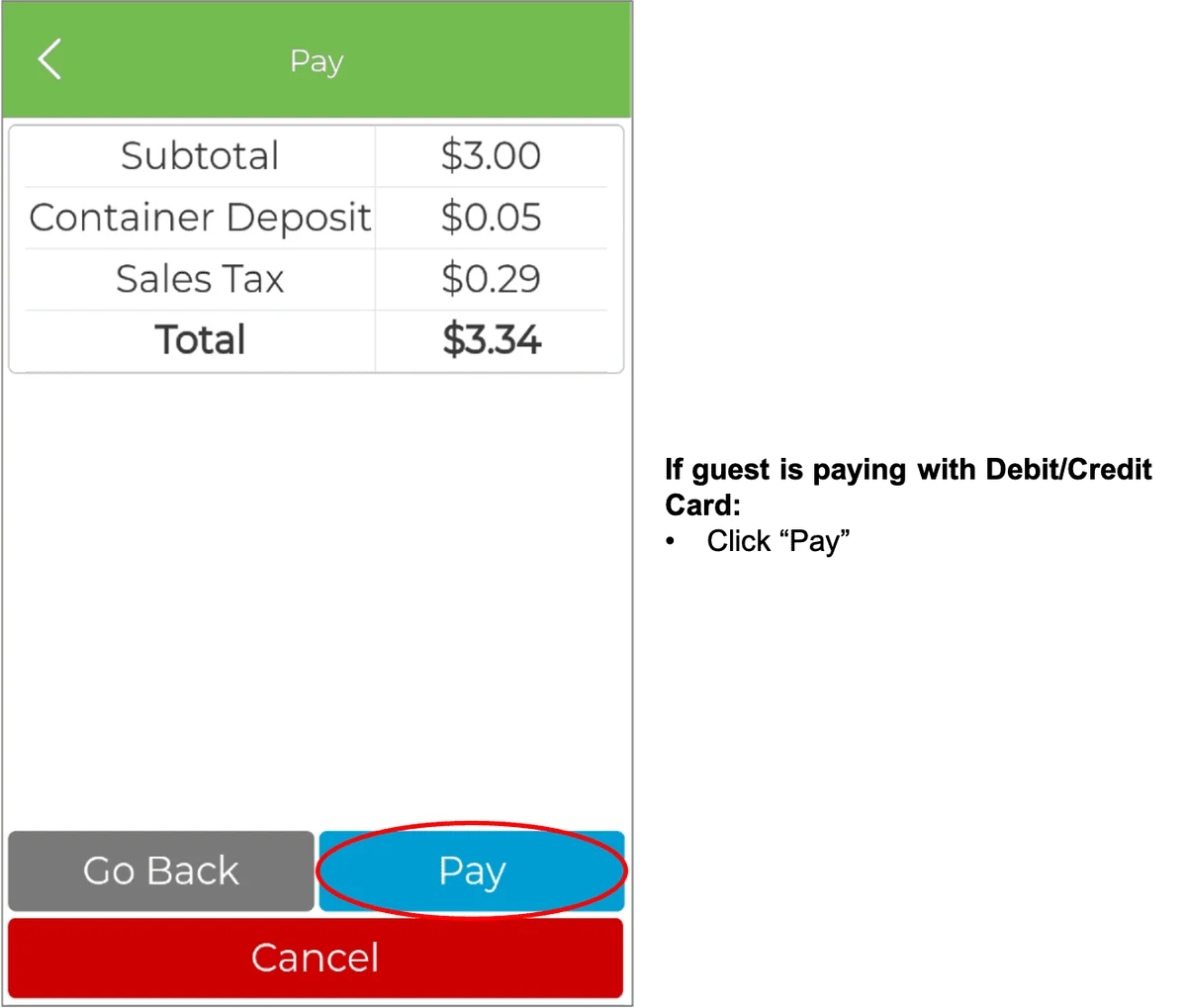
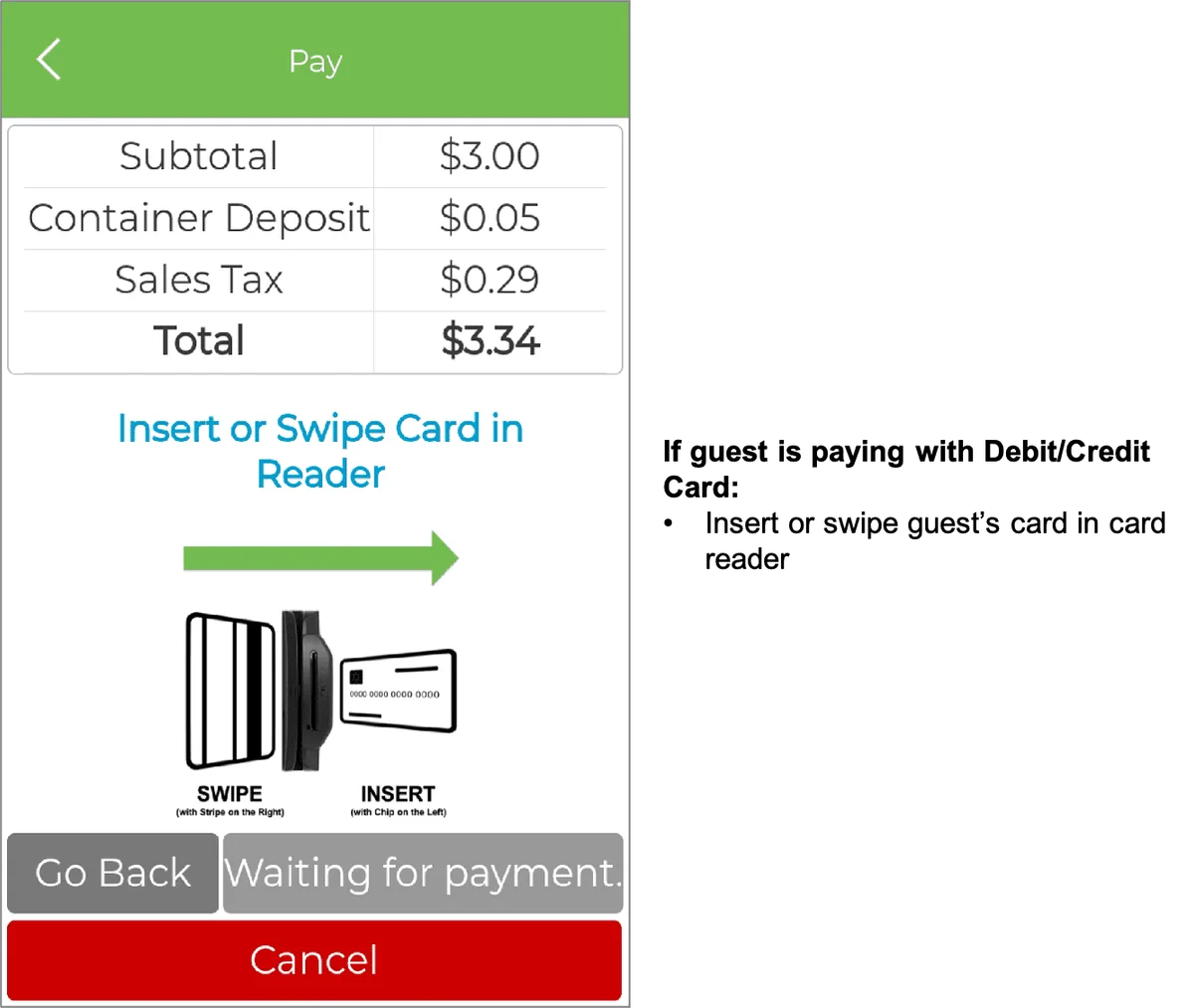
Front-desk terminal home screen with the Scan button highlighted. Payment method selection with card, cash, member reward, comp and room options. Shopping cart with the Check Out button highlighted. Non-card payment summary with Submit highlighted to complete the transaction. Card payment summary with the Pay button highlighted. Card payment screen prompting the customer to insert or swipe a card.

SEARCH PRODUCTS

IMPORTANT: If guest’s payment method is Cash, Member Rewards, Comp or Room, the transaction must be recorded on the hotel’s system and the GrabScanGo Front-Desk Pay Terminal

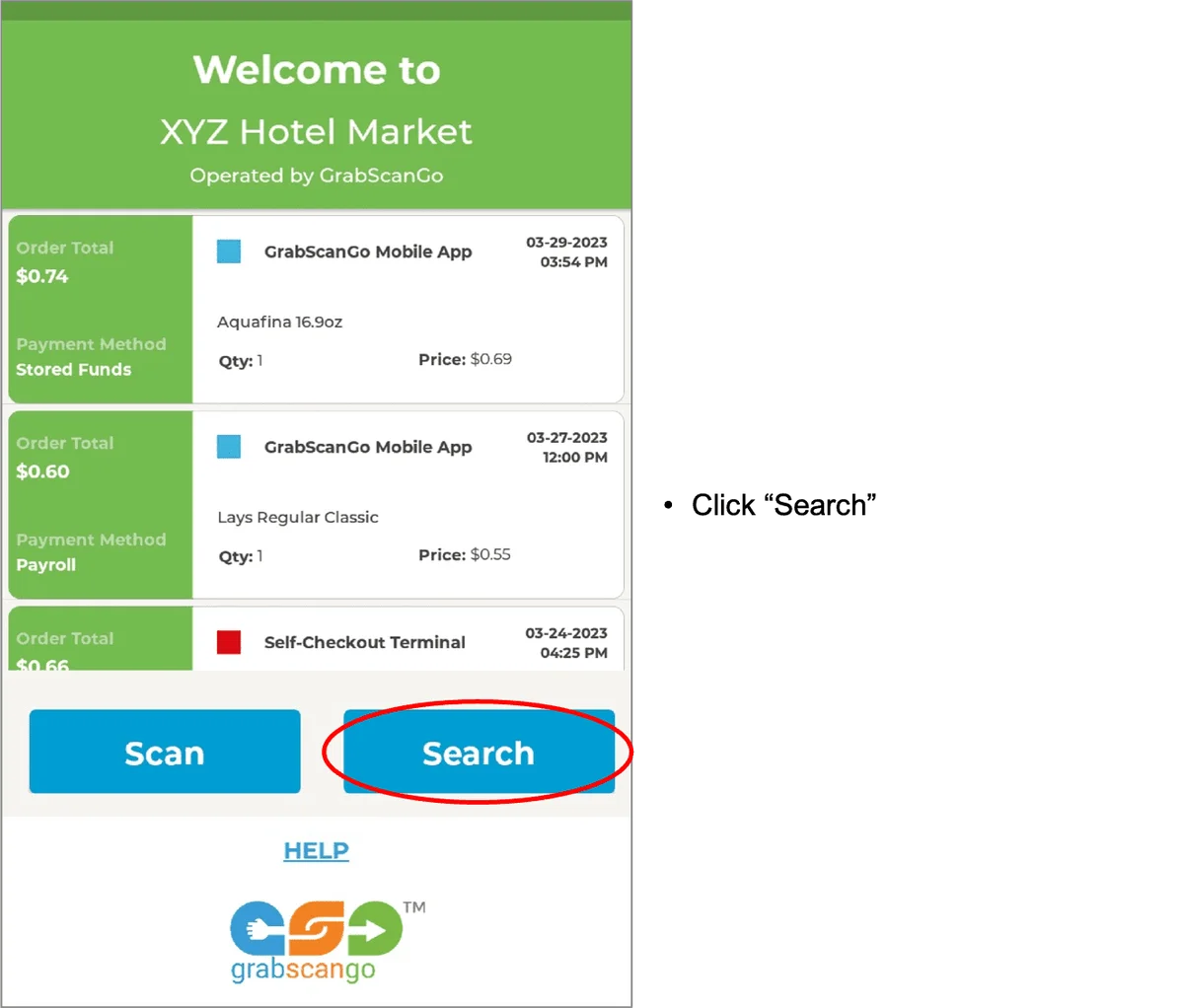
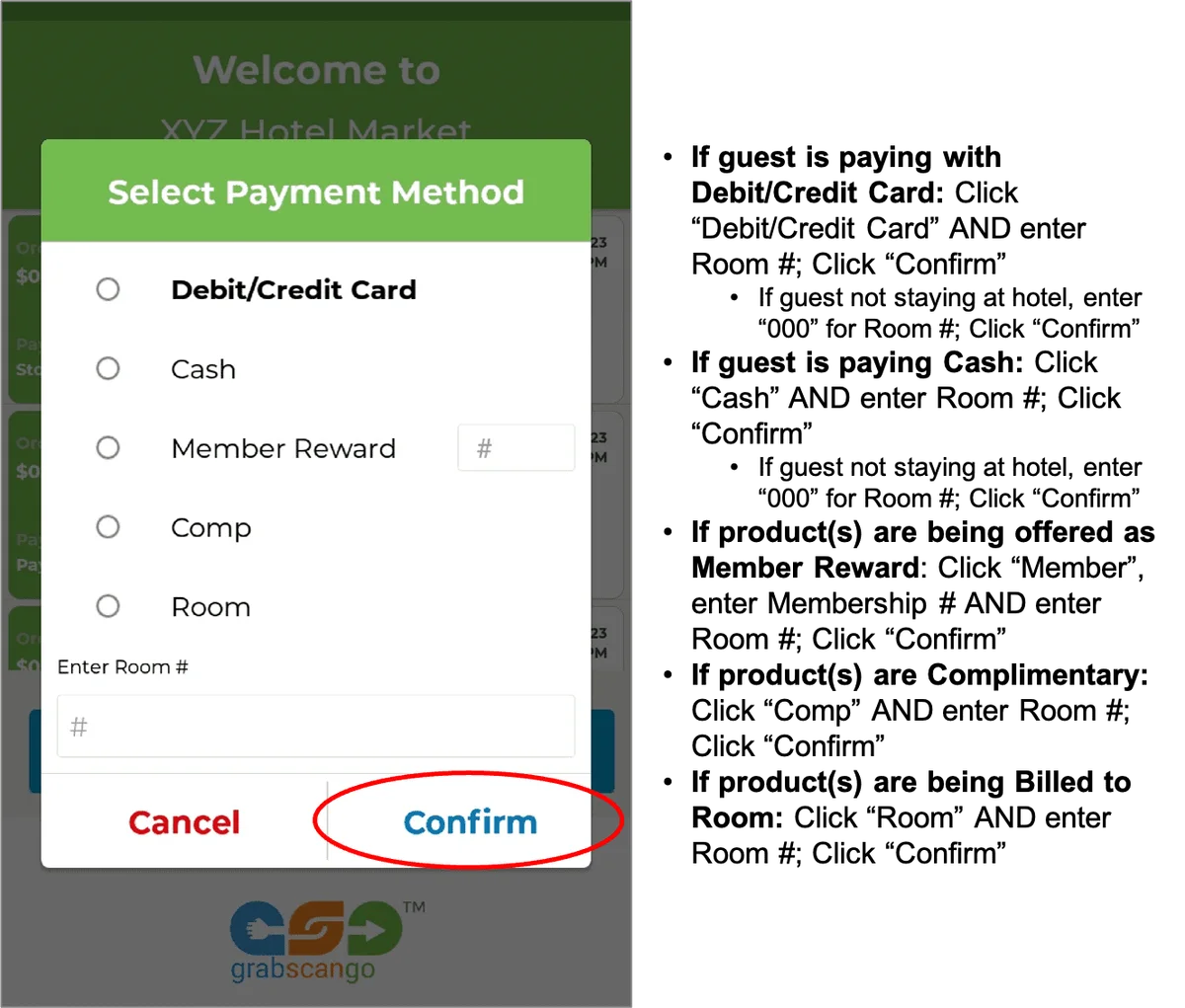
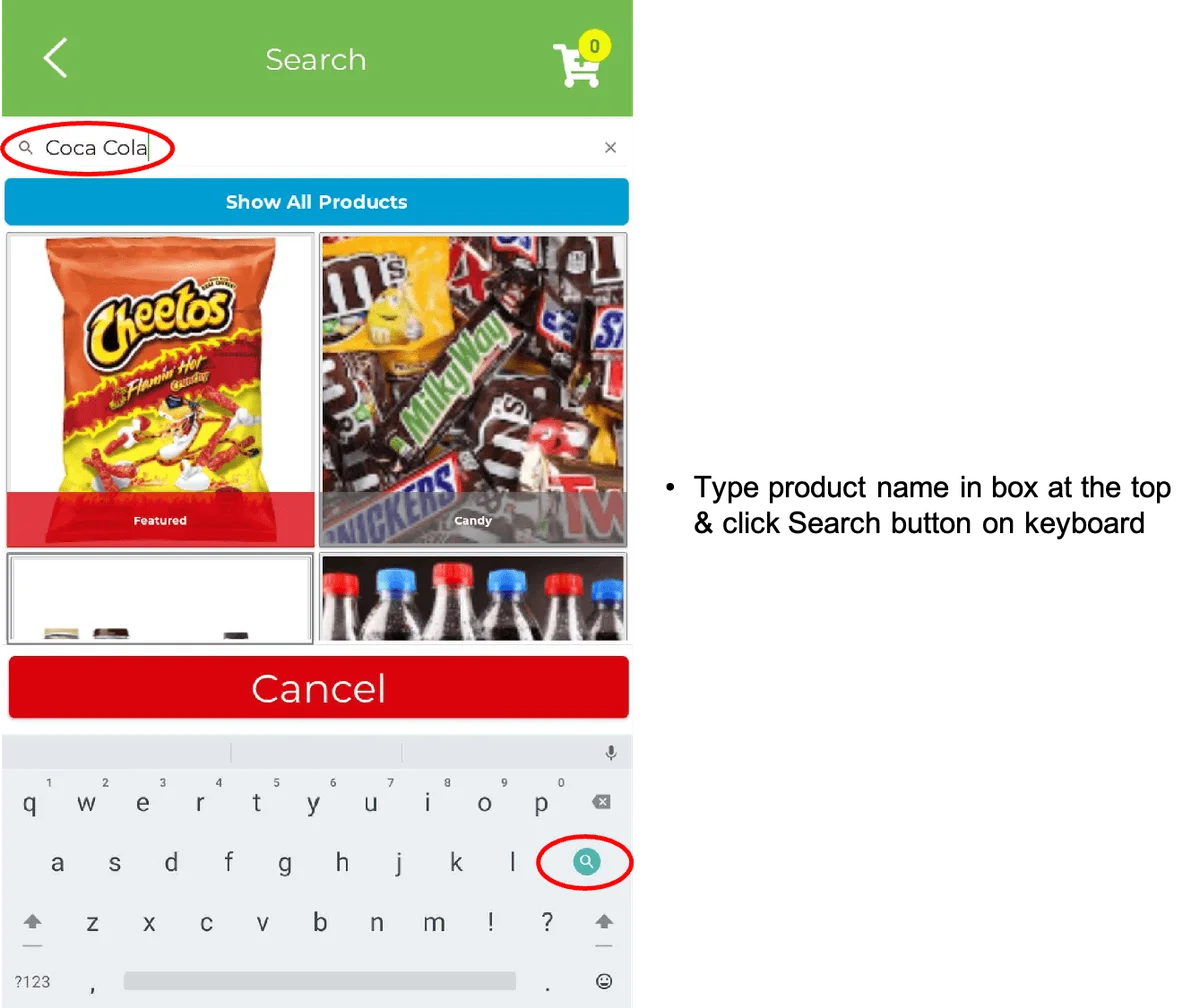
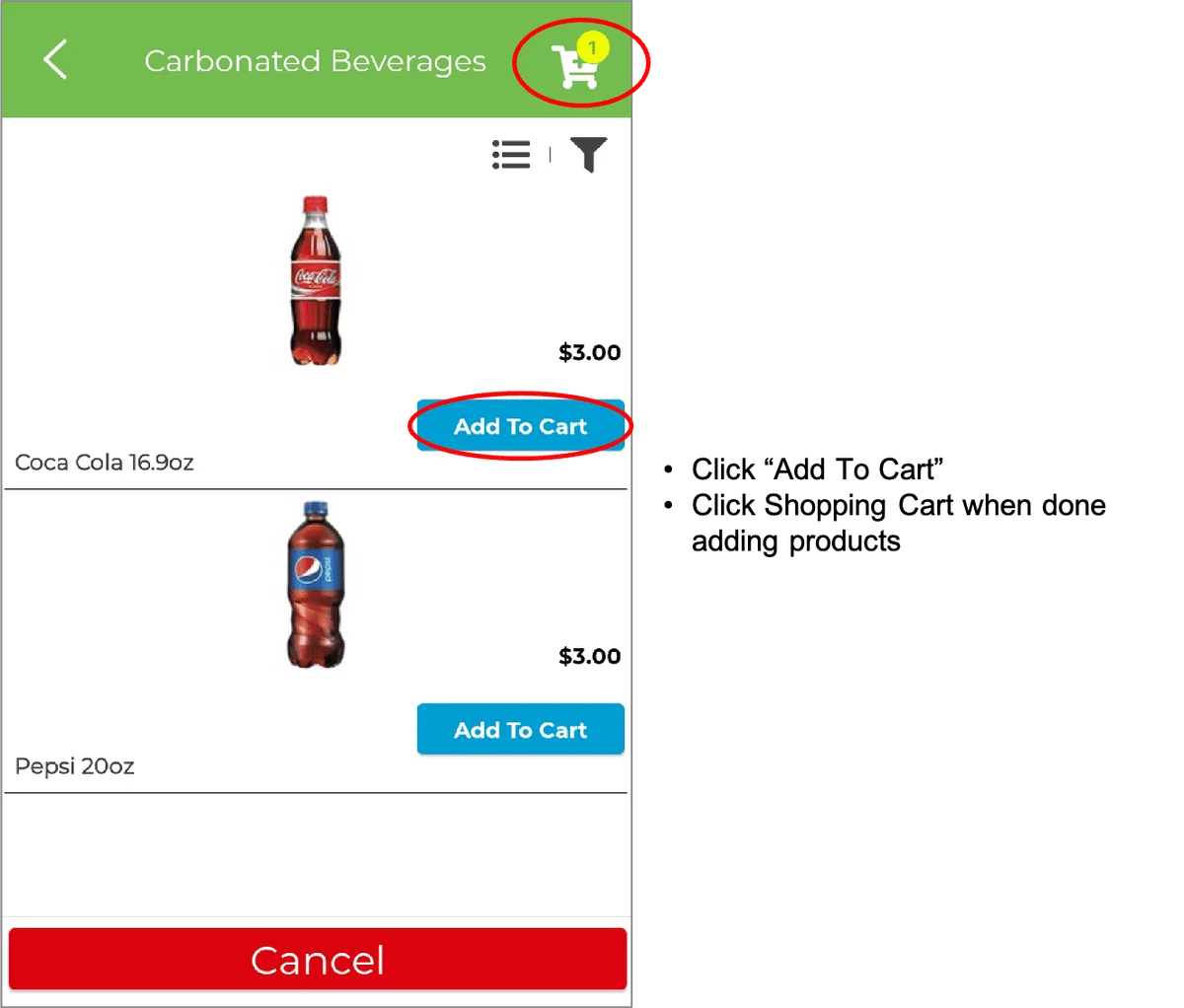
Front-desk terminal home screen with the Search button highlighted. Payment method selection with the Confirm button highlighted. Product search screen with a beverage query entered. Product search results with Add to Cart and the shopping cart icon highlighted. Shopping cart with the Check Out button highlighted. Non-card payment summary with Submit highlighted to complete the transaction. Card payment summary with the Pay button highlighted. Card payment screen prompting the customer to insert or swipe a card.

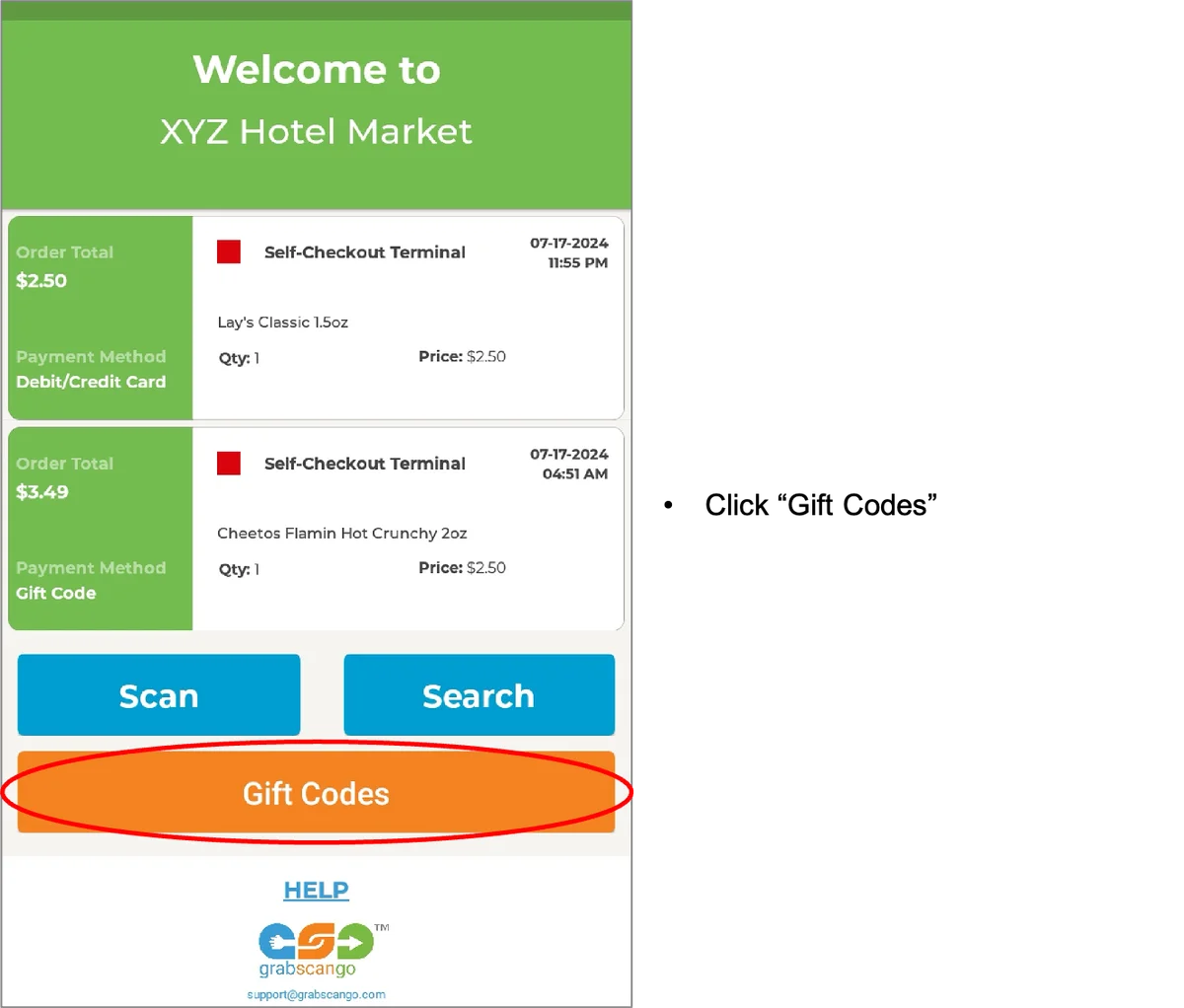
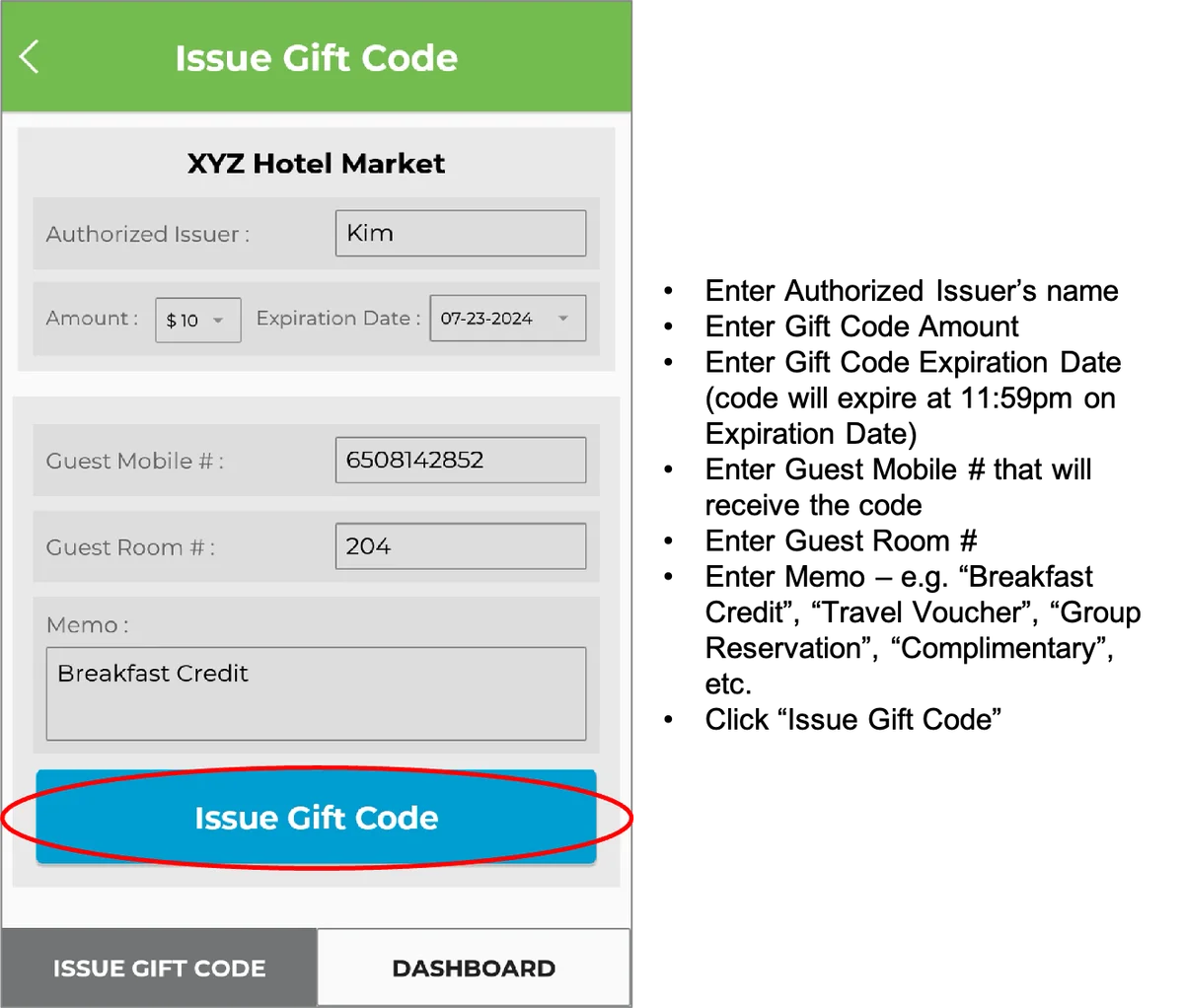
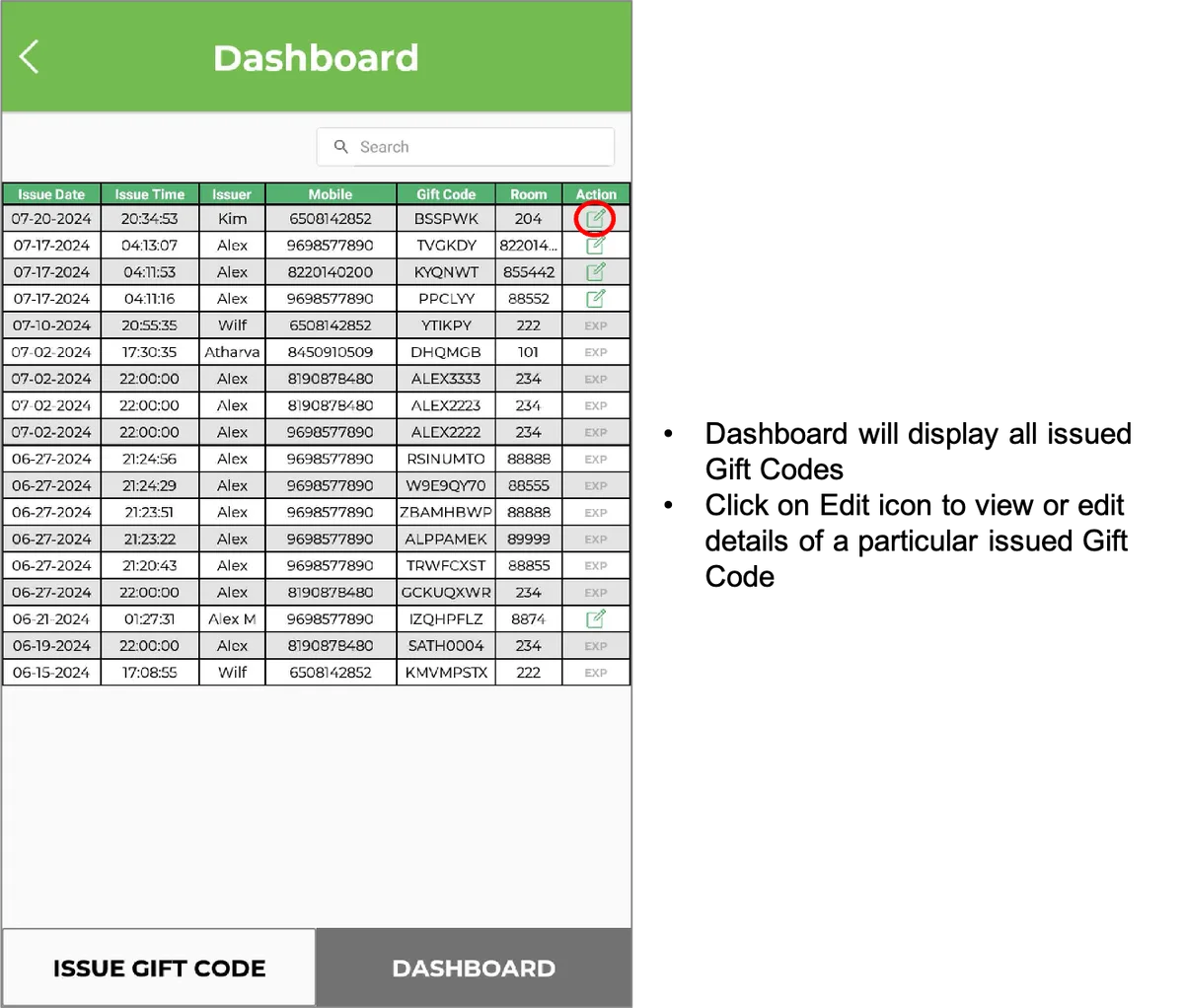
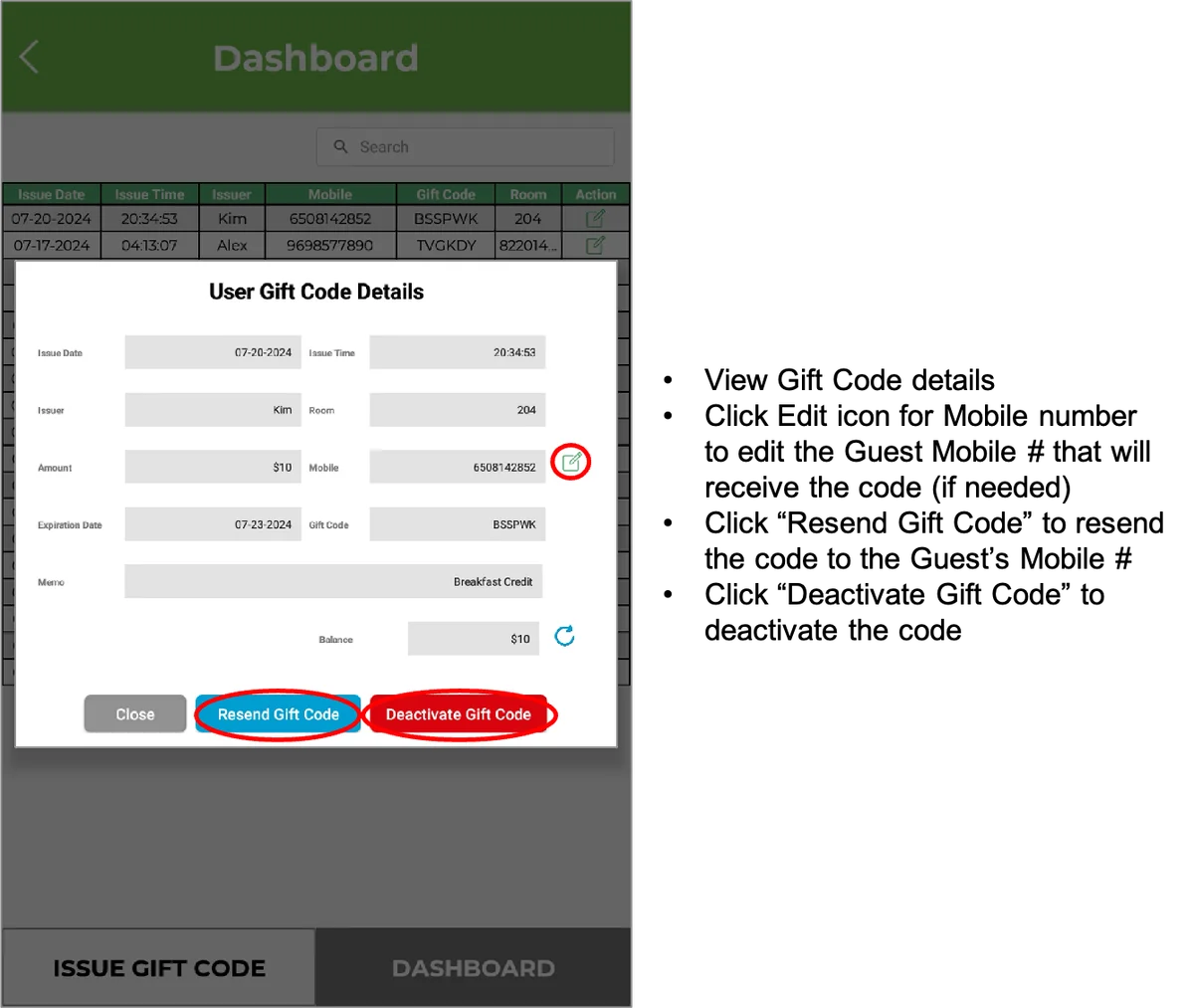
GIFT CODES

Front-desk terminal home screen with Gift Codes highlighted. Gift code form with guest details, amount and the Issue Gift Code button. Gift code dashboard listing issued codes and their status. Gift code details with resend and deactivate controls highlighted.

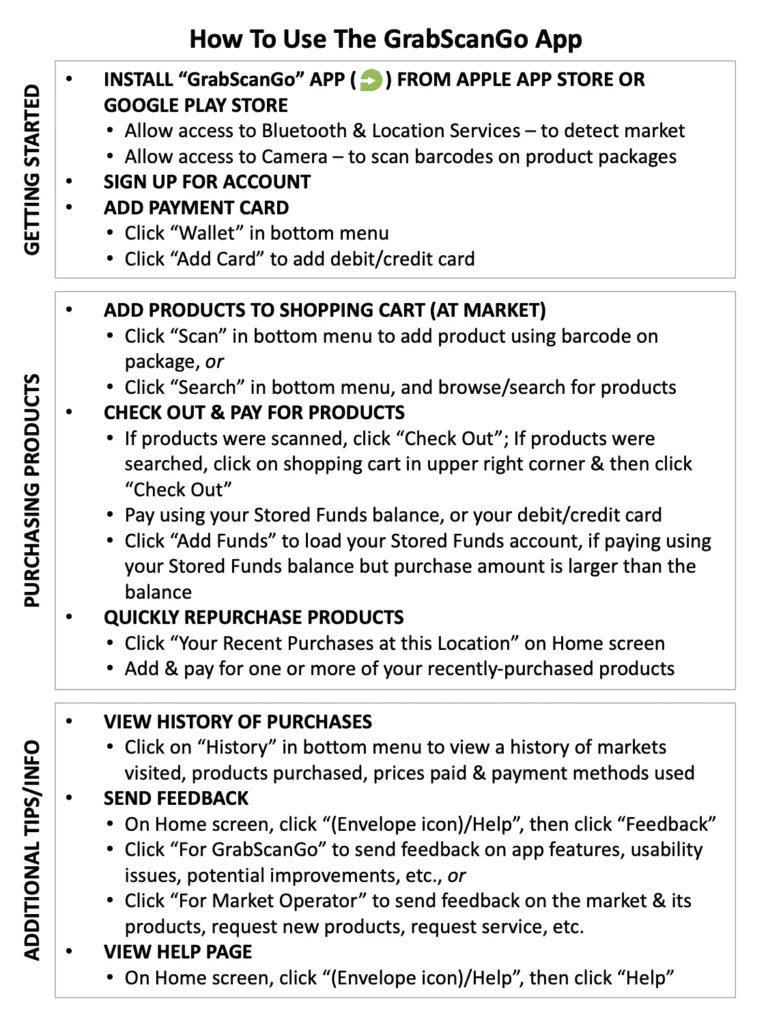
How to use the GrabScanGo mobile app

Download “How to Use the GrabScanGo App” document HERE

GrabScanGo app instruction sheet covering setup, purchasing and checkout.

If guest needs a purchase receipt

Fill out form below, or provide them this URL: grabscango.com/receipt-request

Having trouble viewing the form? Open the form directly.

Technical Support

Fill out form below if you are experiencing an issue with our system or the market.

Having trouble viewing the form? Open the form directly.

If guest needs to inquire about a charge on their debit/credit card

Fill out form below, or provide them this URL: grabscango.com/charge-inquiry

Having trouble viewing the form? Open the form directly.

Privacy & cookie settings

Choose which optional tools this browser may load. You can change your choices at any time.

Some changes reload this page to stop tools already running. These choices apply to this browser on this website. For other privacy requests, email [email protected]. Website privacy details.