View this Help page on your phone
If the Pay Terminal has the message “WE’RE SORRY, THIS TERMINAL IS TEMPORARILY UNAVAILABLE”, it is most likely due to a broken or intermittent Internet connection.
Click HERE to submit a Technical Support request, so our team can investigate.
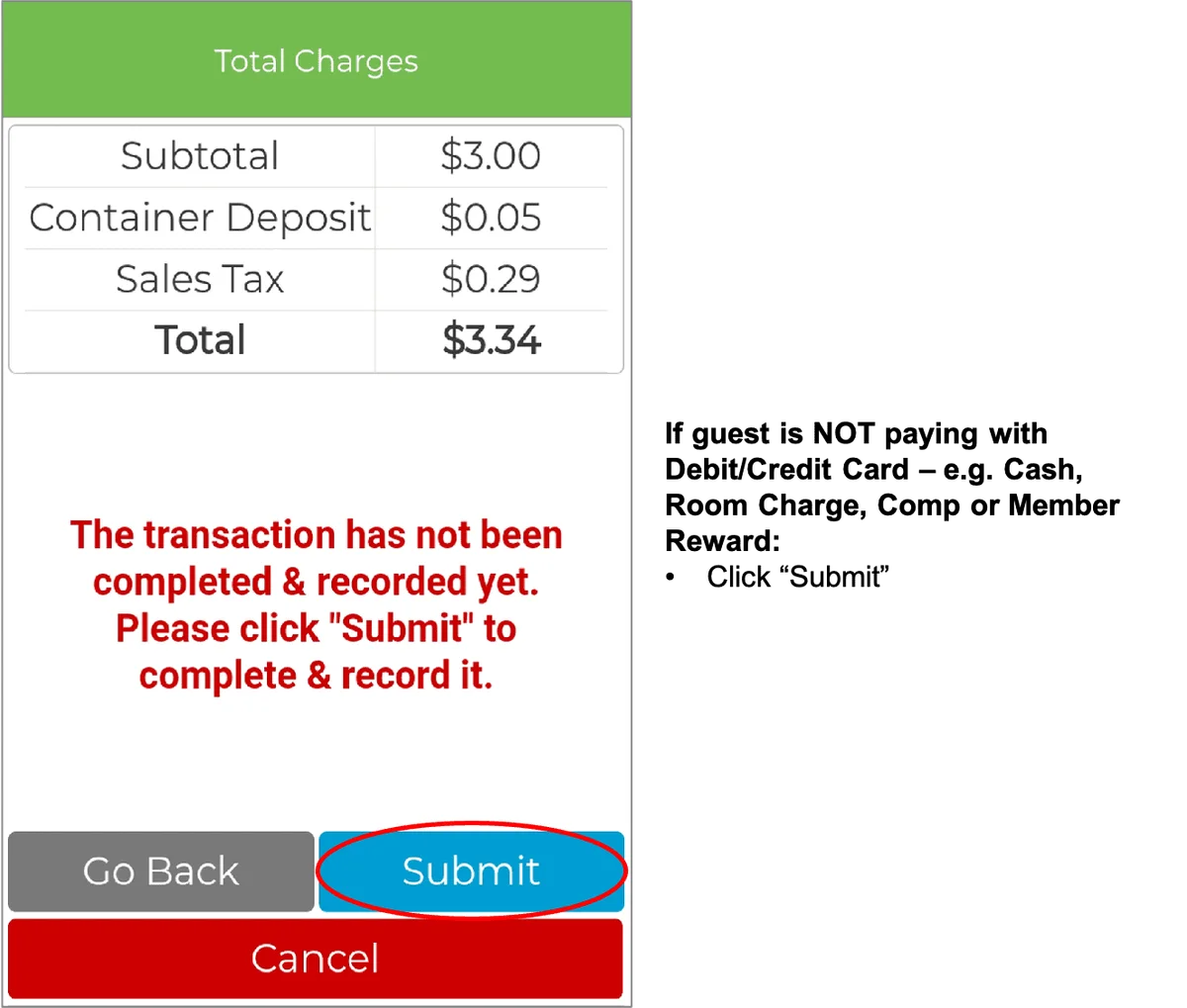
IMPORTANT: If guest’s payment method is Cash, Member Rewards, Comp or Room, the transaction must be recorded on the hotel’s system and the GrabScanGo Front-Desk Pay Terminal
Download “How To Check Out Products For Guests” document HERE
CONTENTS
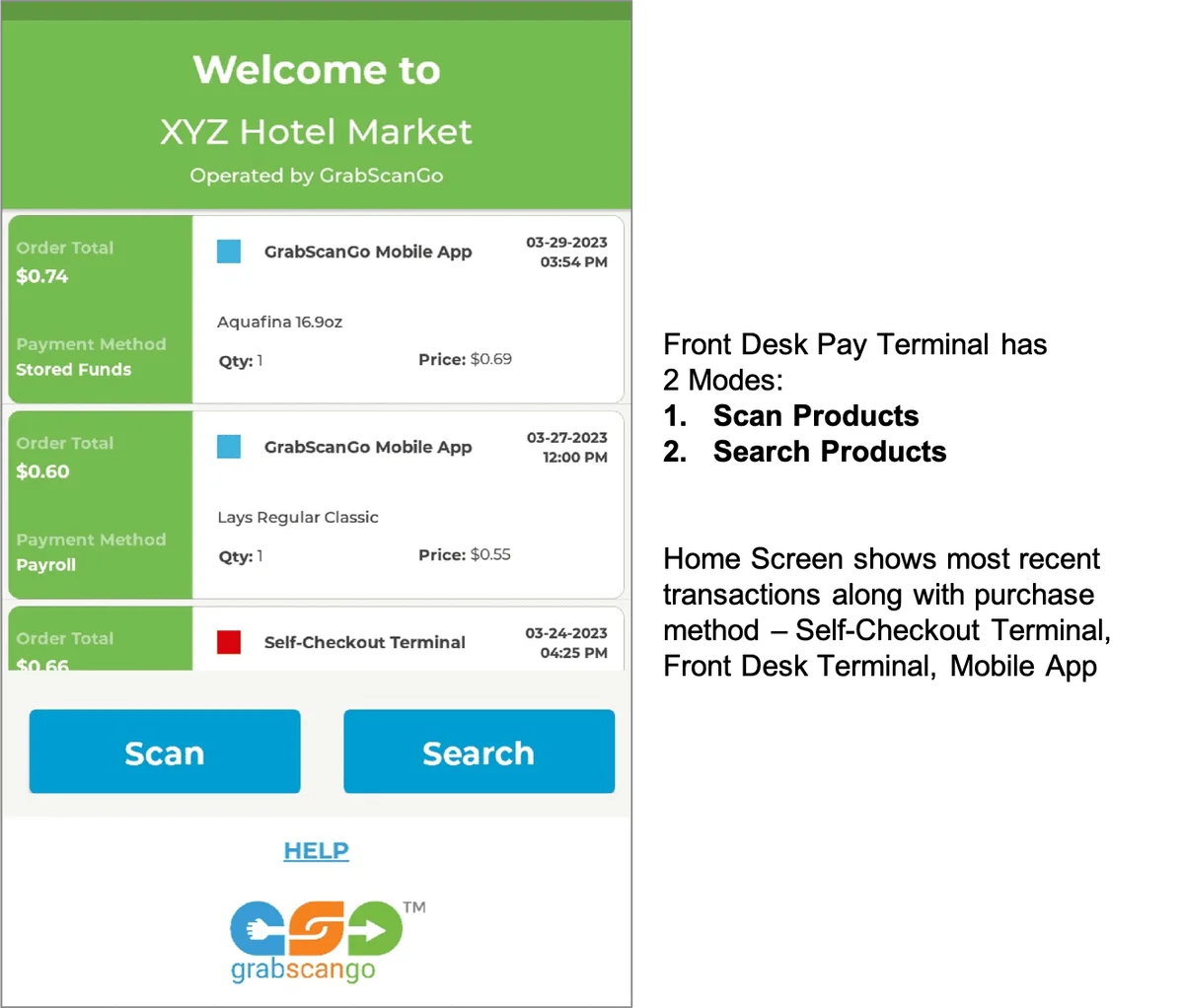
HOME SCREEN
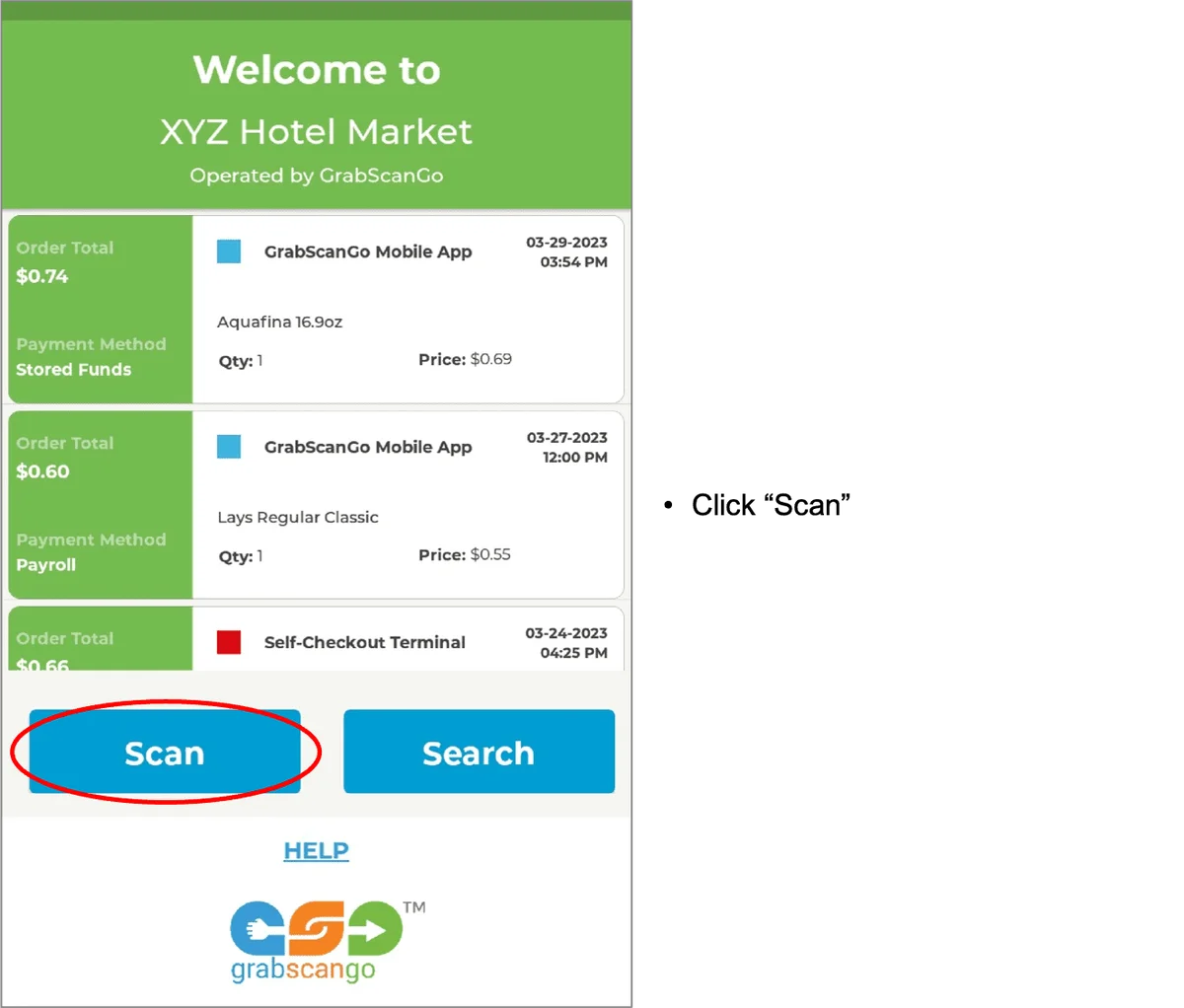
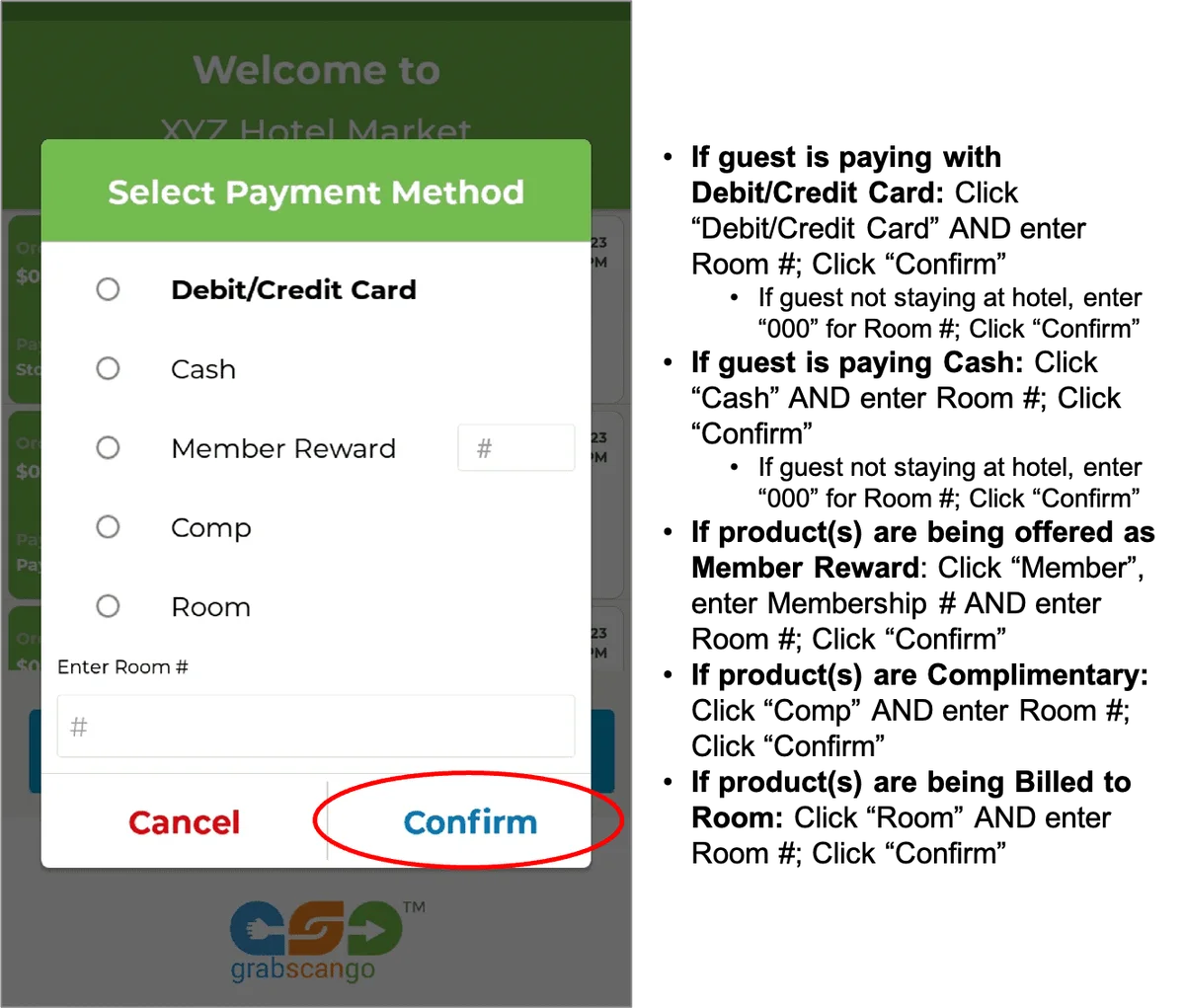
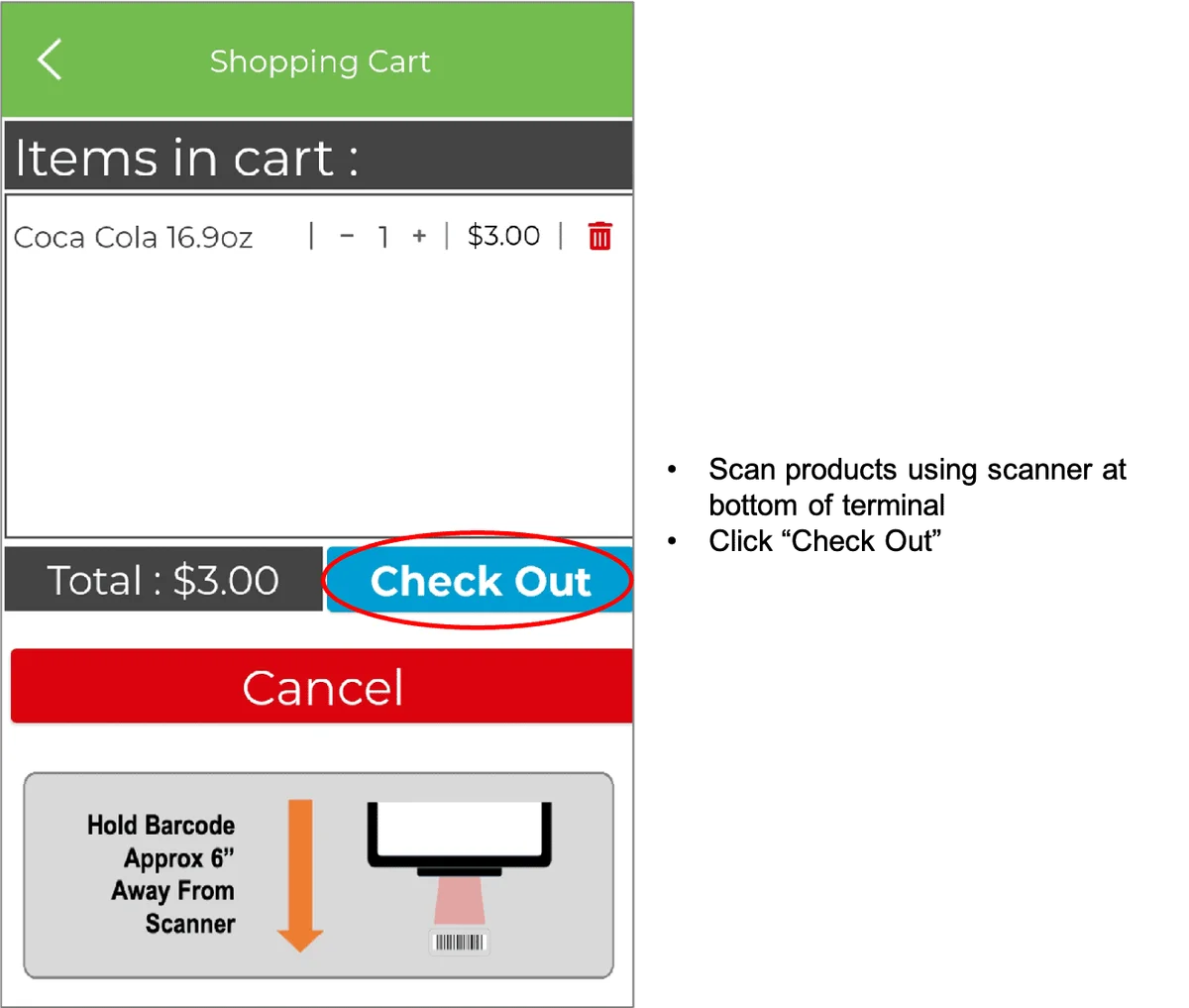
SCAN PRODUCTS
IMPORTANT: If guest’s payment method is Cash, Member Rewards, Comp or Room, the transaction must be recorded on the hotel’s system and the GrabScanGo Front-Desk Pay Terminal
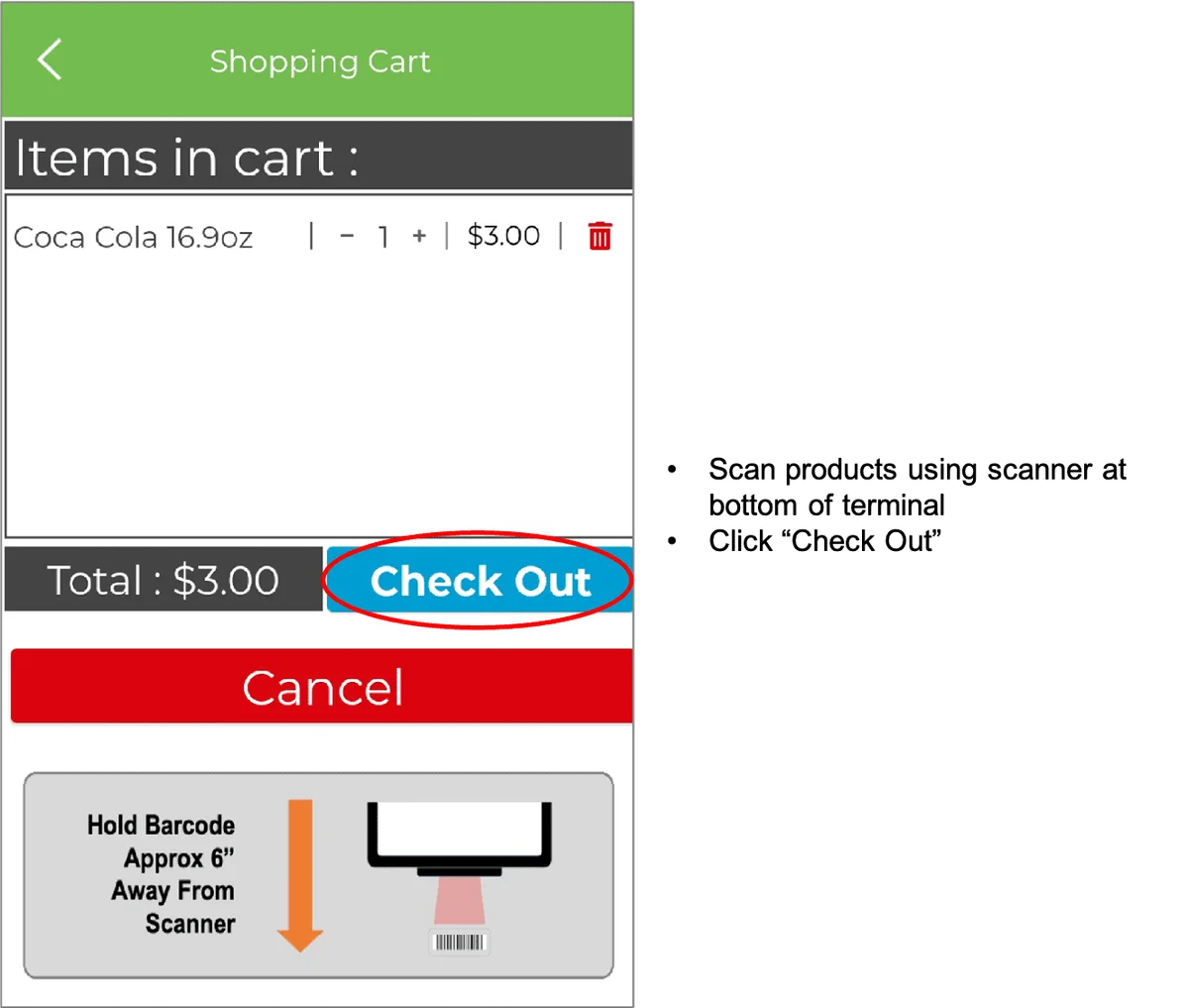
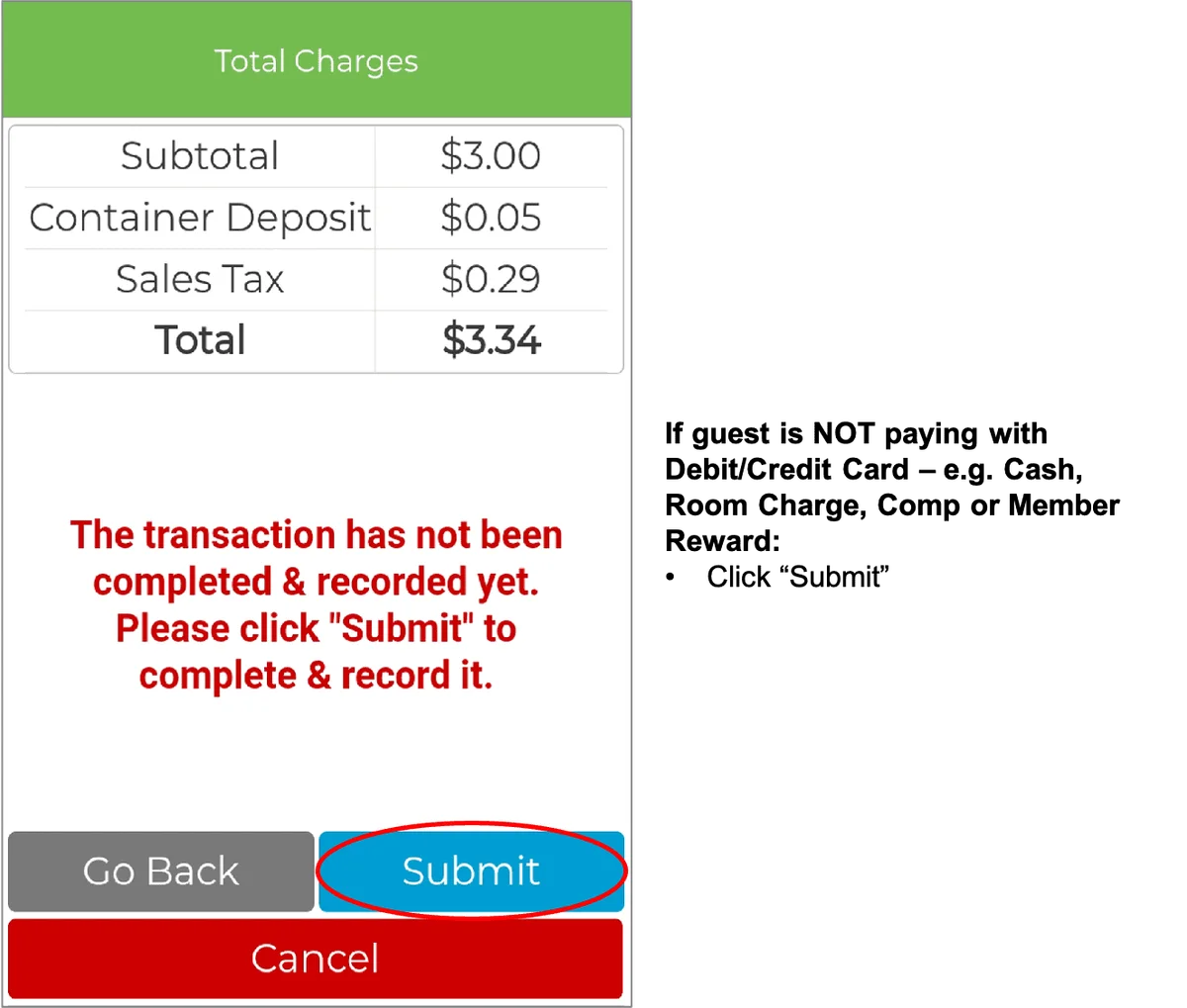
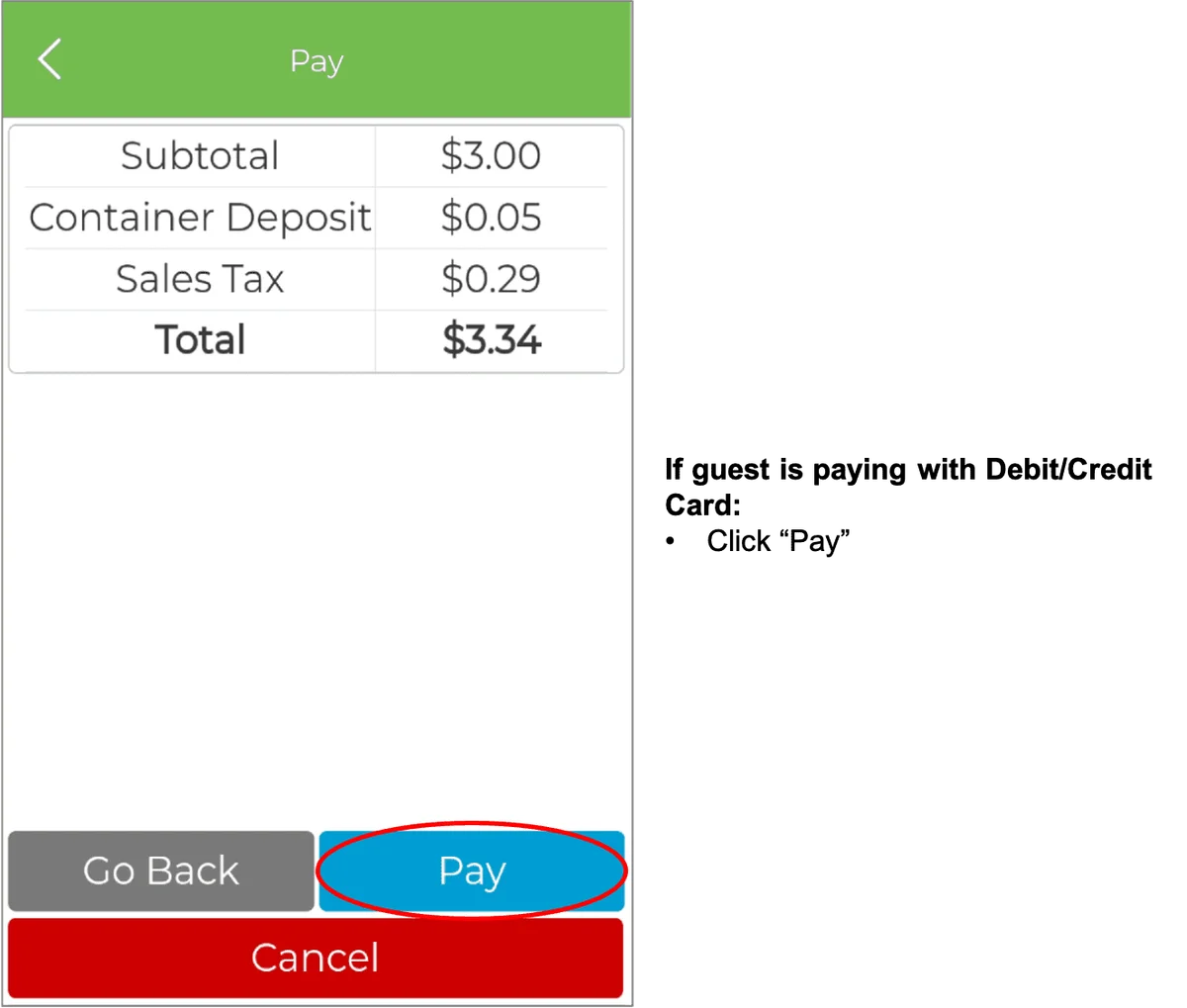
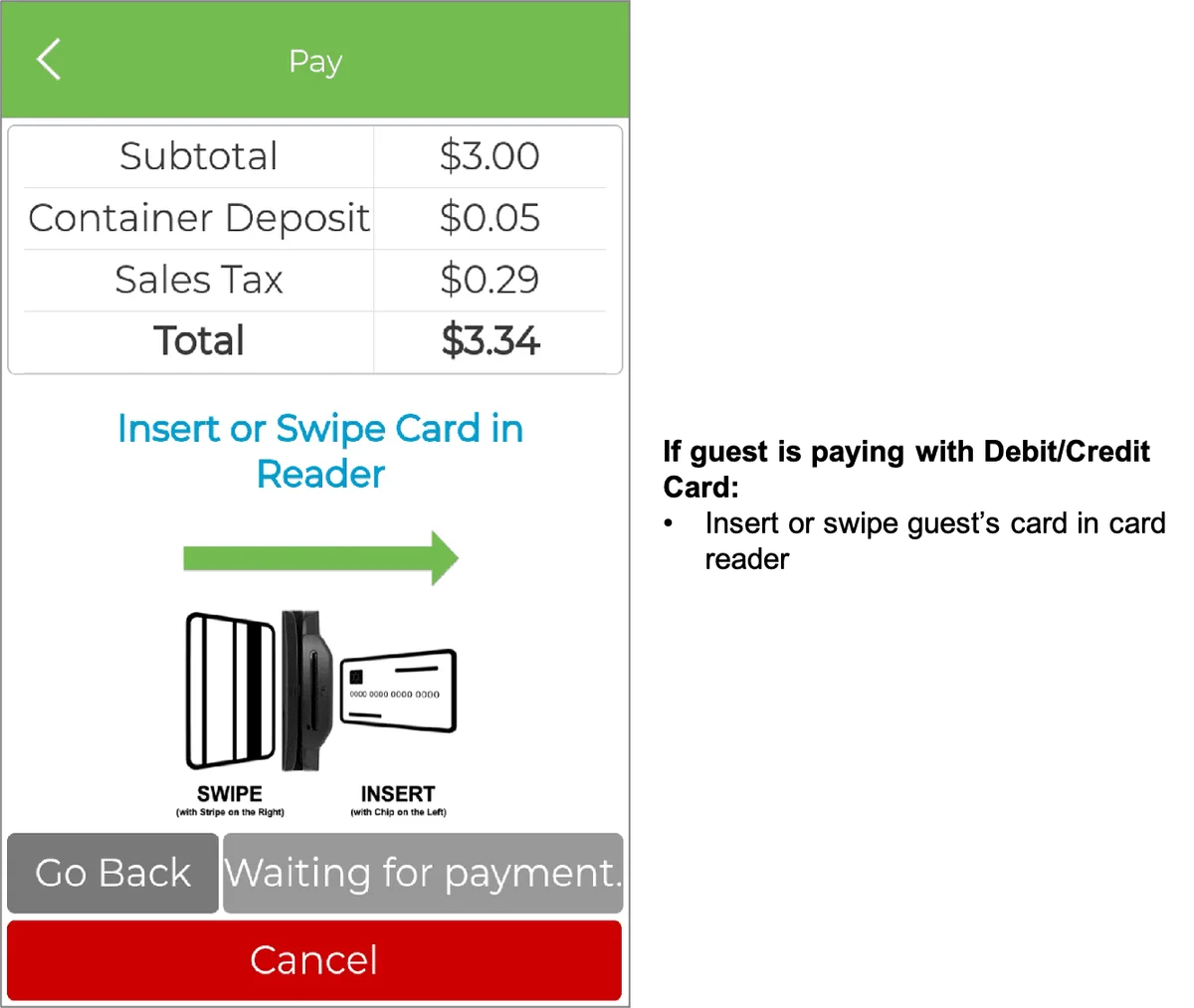
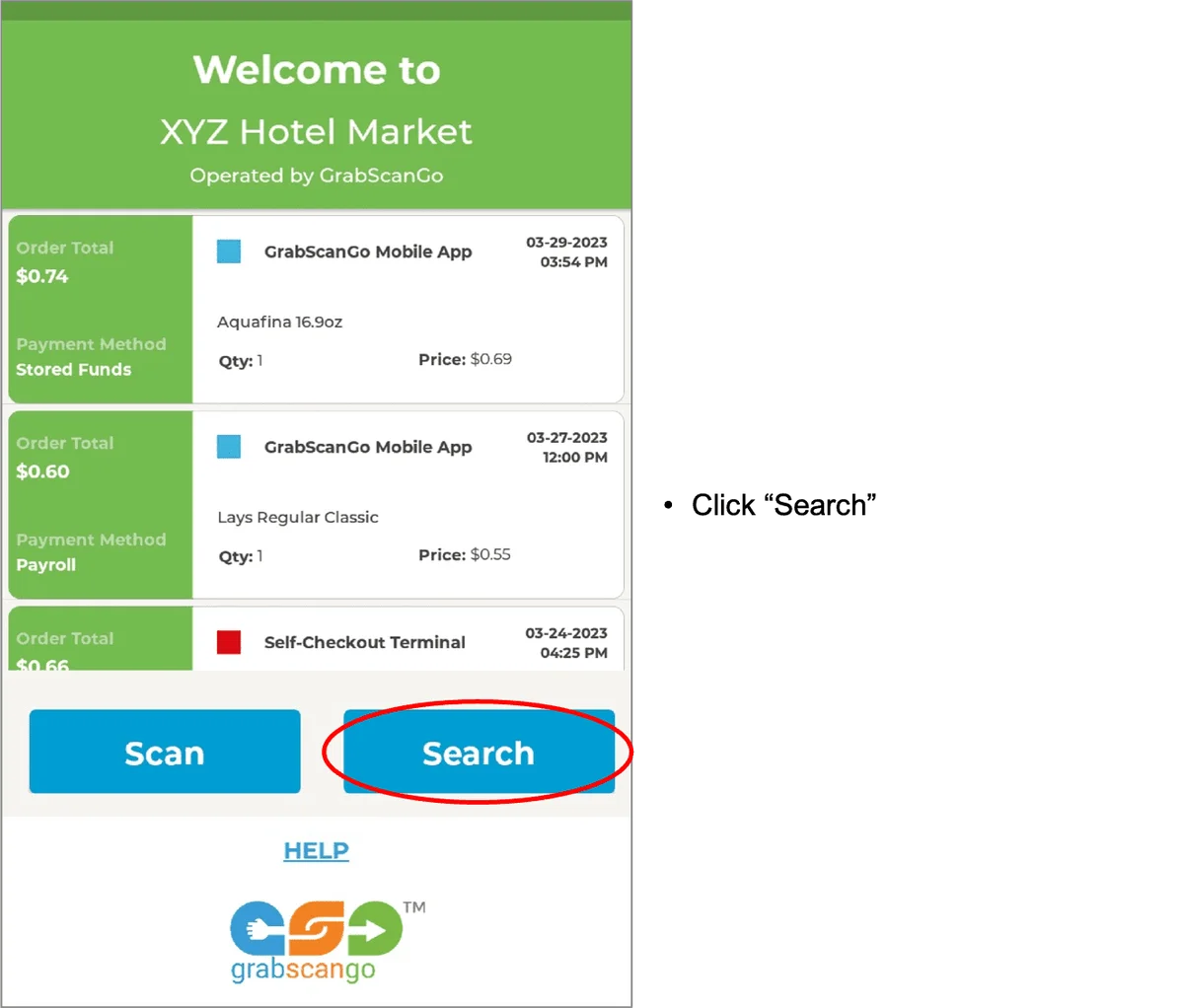
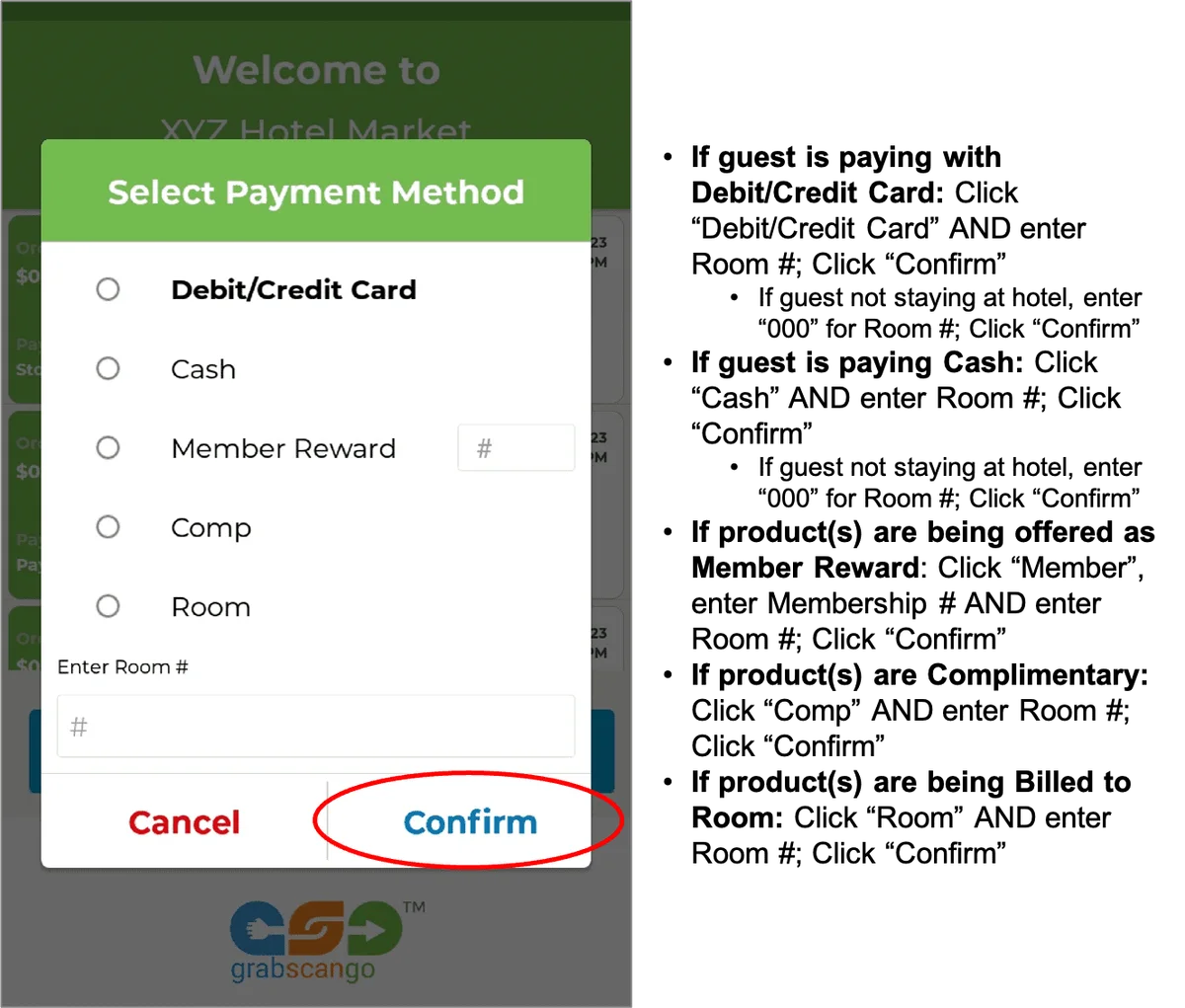
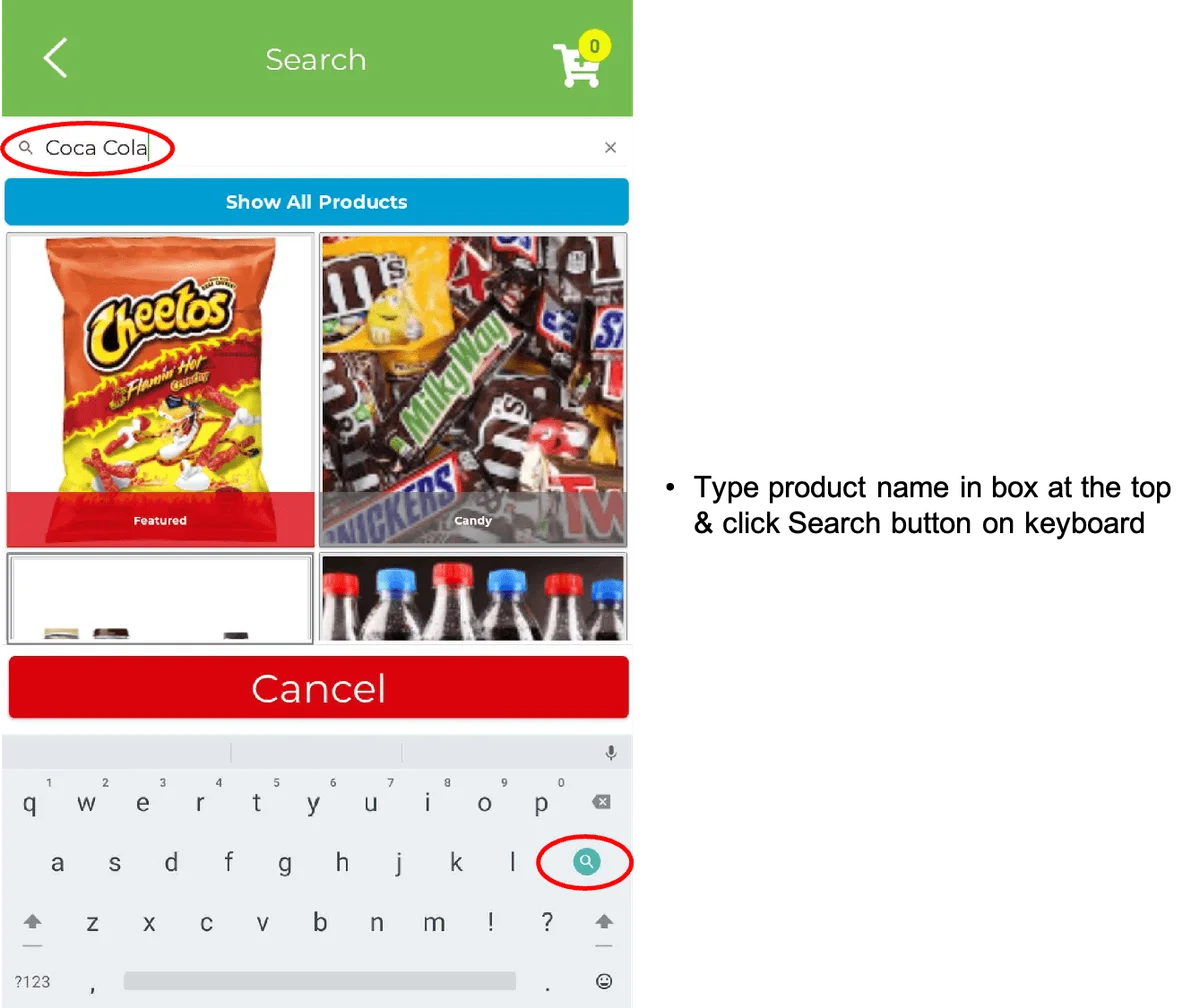
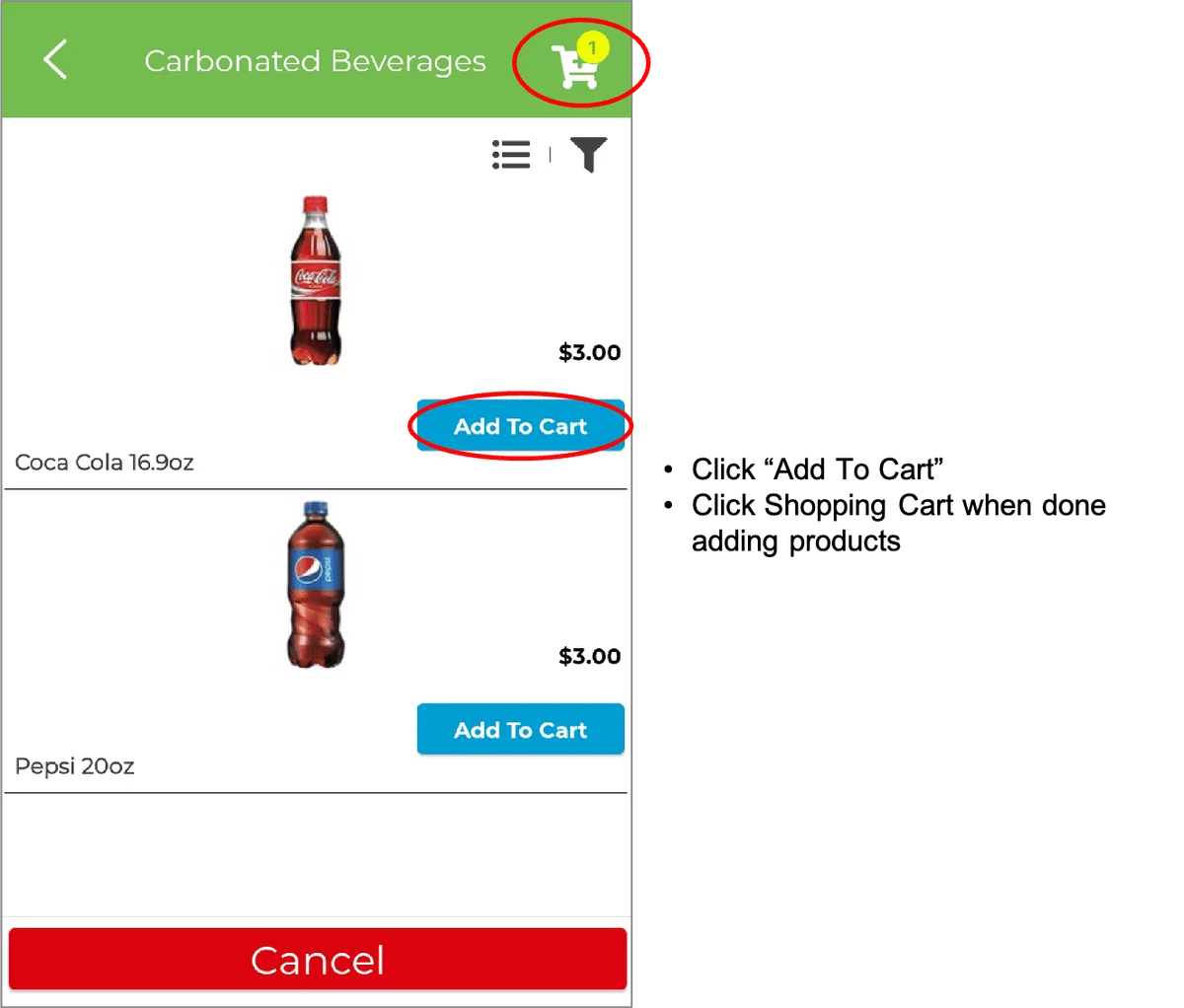
SEARCH PRODUCTS
IMPORTANT: If guest’s payment method is Cash, Member Rewards, Comp or Room, the transaction must be recorded on the hotel’s system and the GrabScanGo Front-Desk Pay Terminal
GIFT CODES
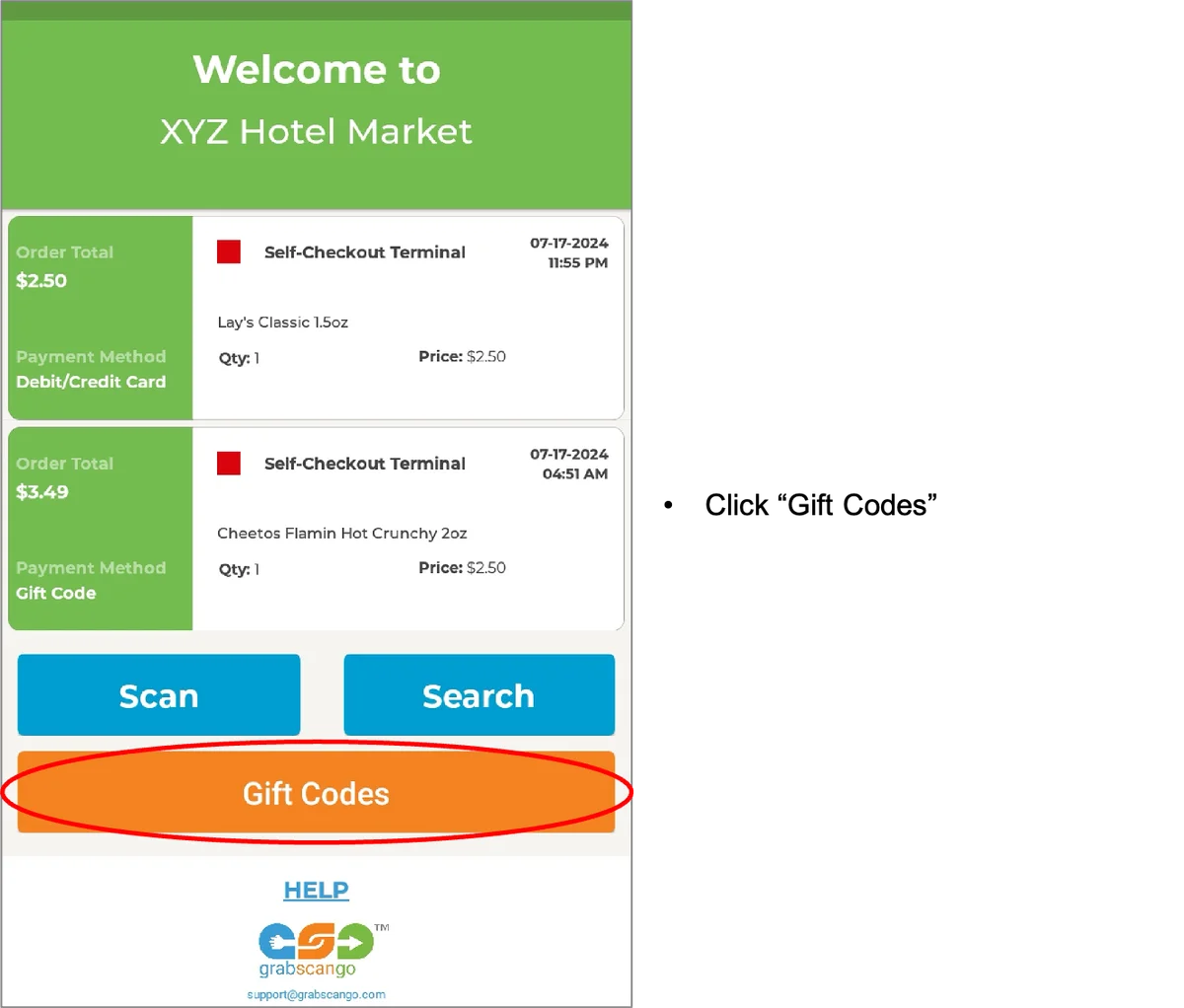
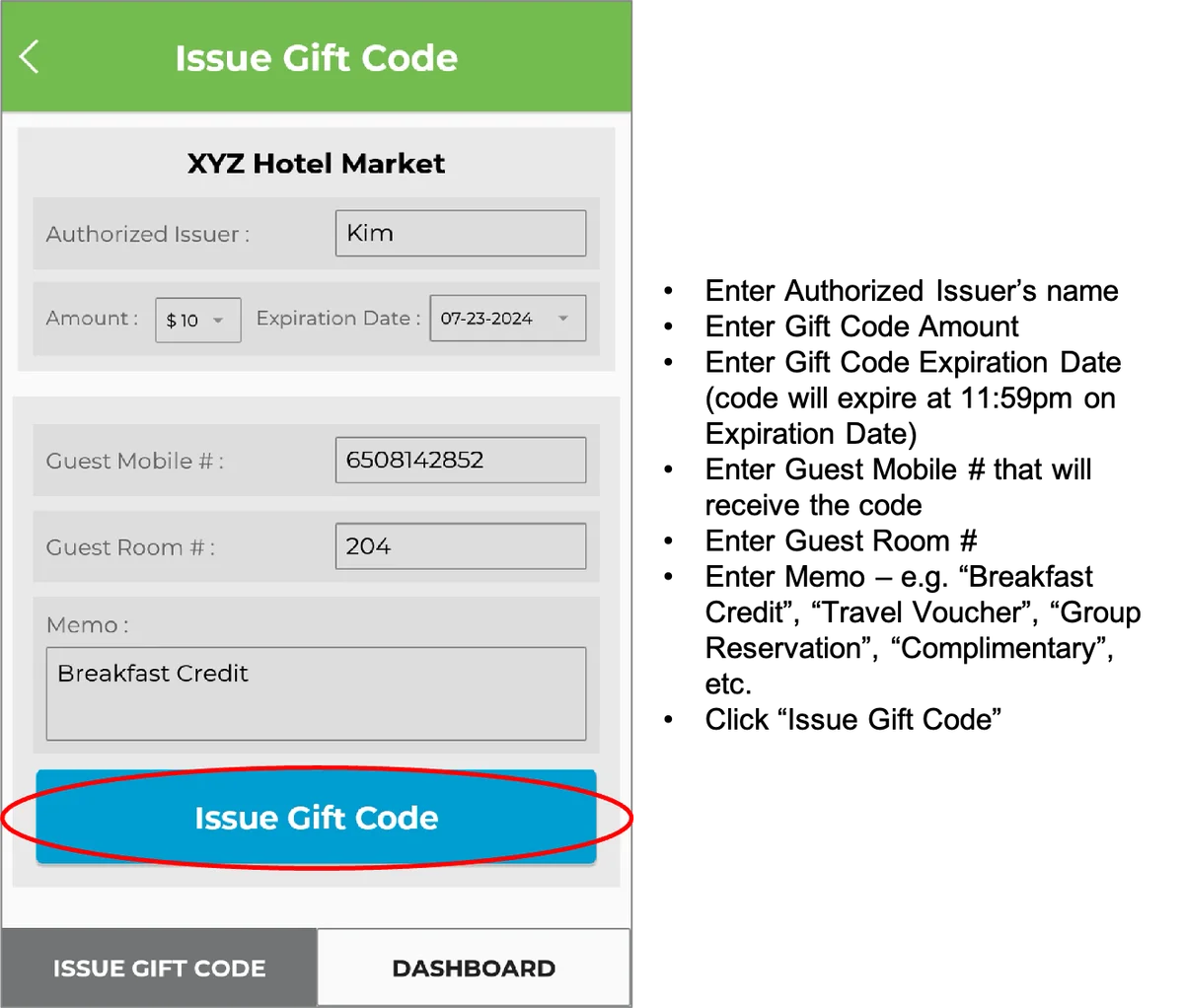
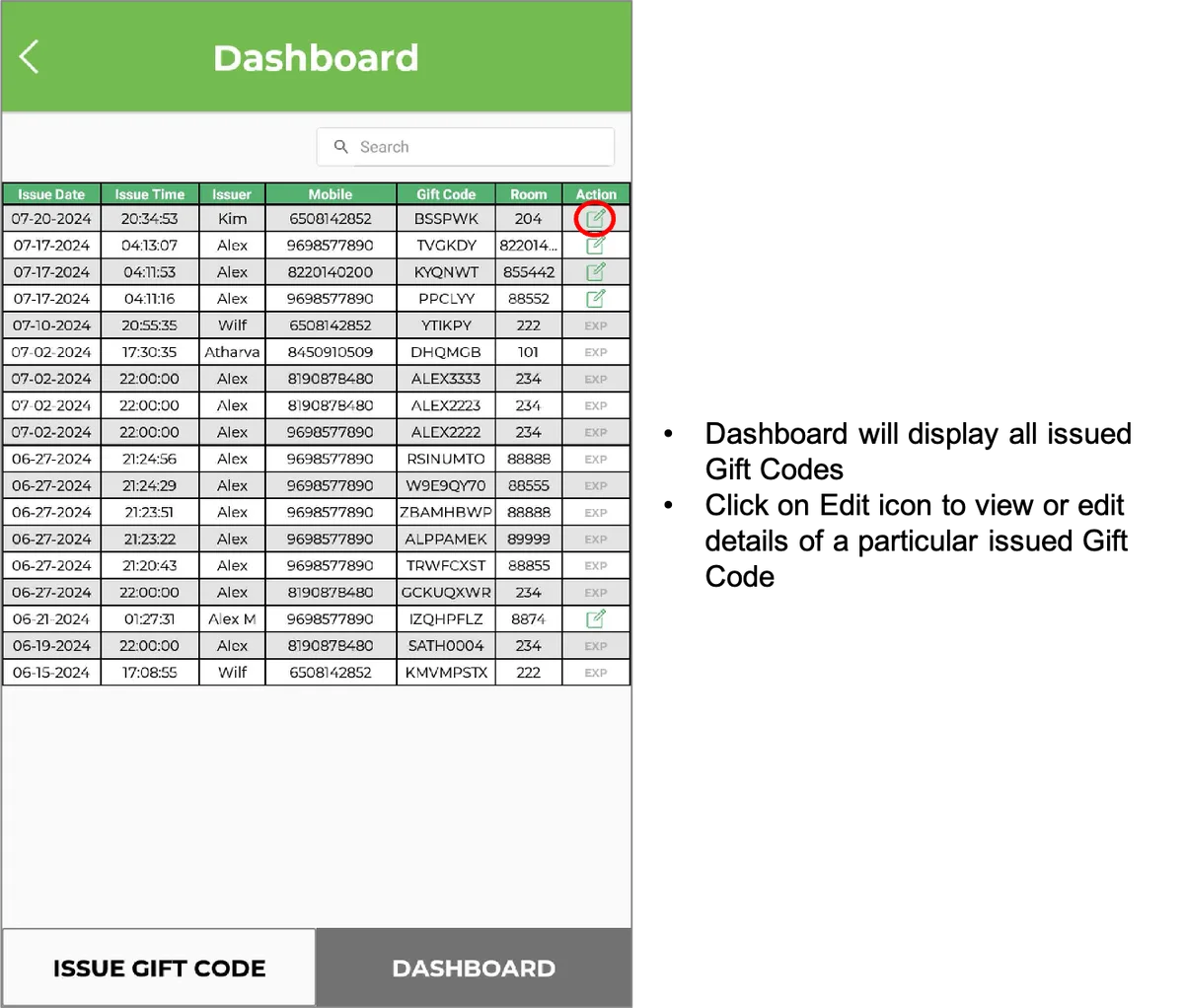
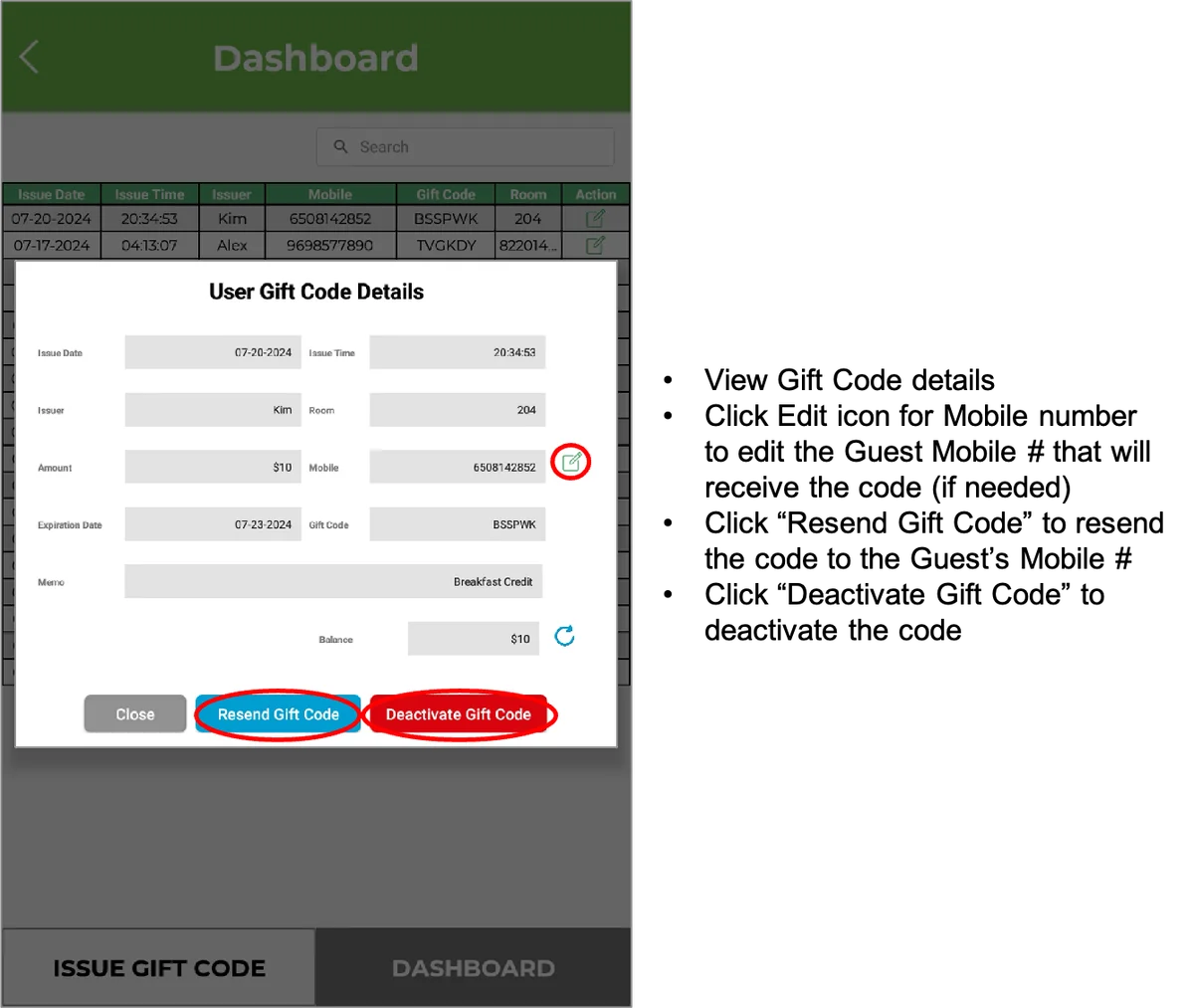
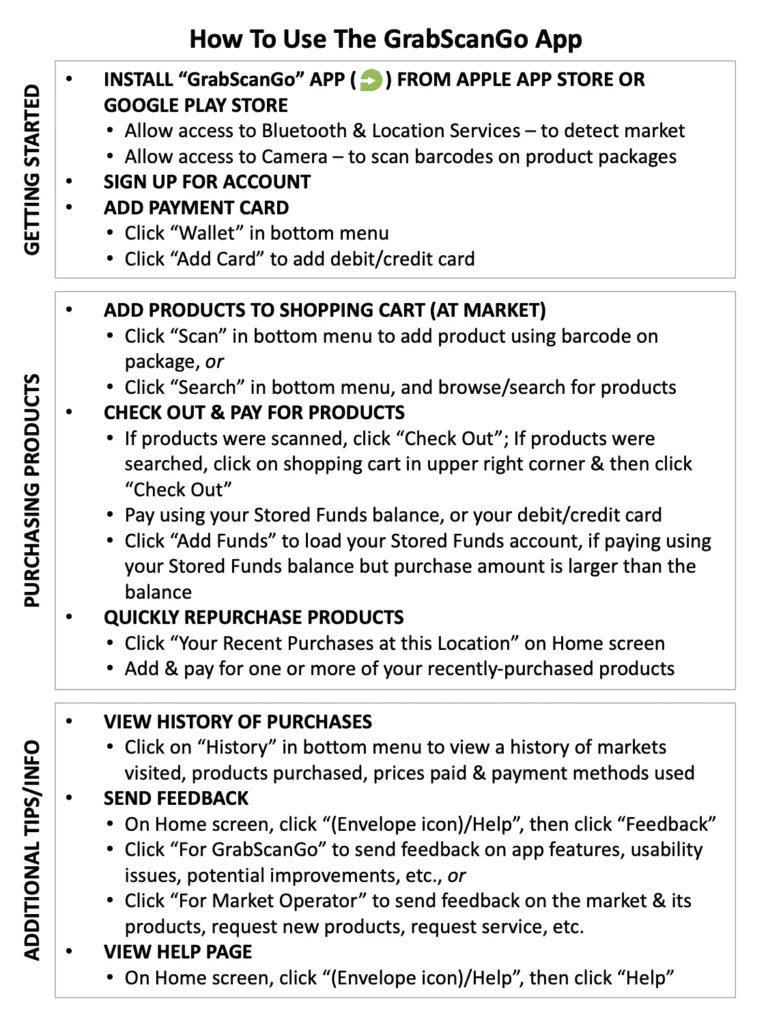
How to use the GrabScanGo mobile app
Download “How to Use the GrabScanGo App” document HERE
If guest needs a purchase receipt
Fill out form below, or provide them this URL: grabscango.com/receipt-request
Technical Support
Fill out form below if you are experiencing an issue with our system or the market.
If guest needs to inquire about a charge on their debit/credit card
Fill out form below, or provide them this URL: grabscango.com/charge-inquiry
Still need help? Contact Customer Support →